
Updated
Read this article in Chinese (中文)
First of all, what is an Account Statement?
An Account Statement is a periodic summary of your Container xChange account's activity with a beginning and ending date.
Where can I find it?
-
First, go to the Wallet and click on the Account Statements tab as shown below.
-
By default your Account statement will have the All Time option selected, but you can select a custom range of specific dates to review those transactions.
- Click on the button Download account statement button ⬇️
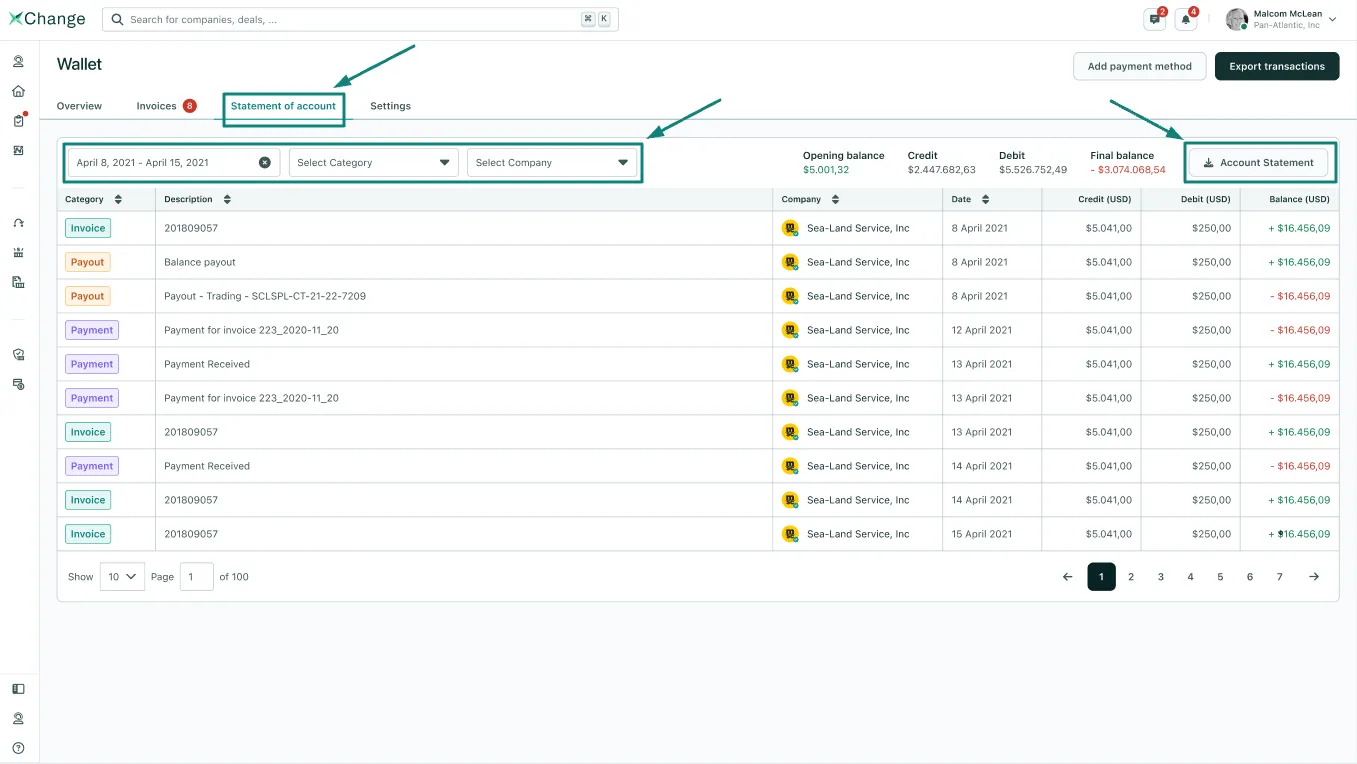
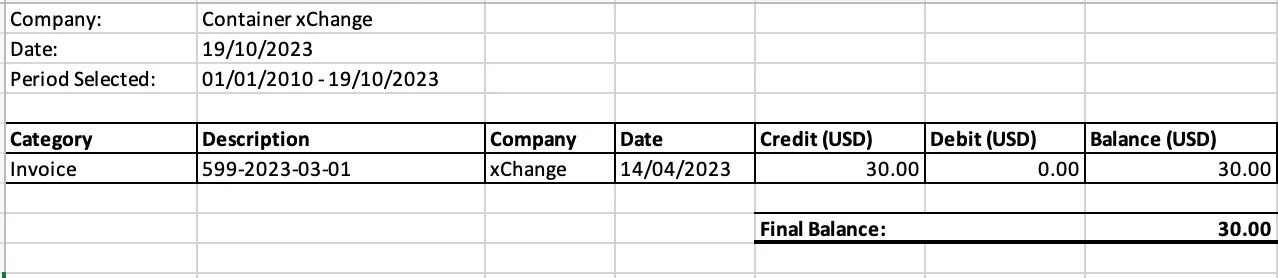
3. You will receive an Excel sheet that reflects all your Invoiced Activity
- You will see the invoice number, the date any credit or debit was applied, and the remaining balance.
- If you have any questions, please feel free to reach out through any of the support channels mentioned here
Can't find what you need? Contact us