
Updated
Read this article in Chinese (中文)
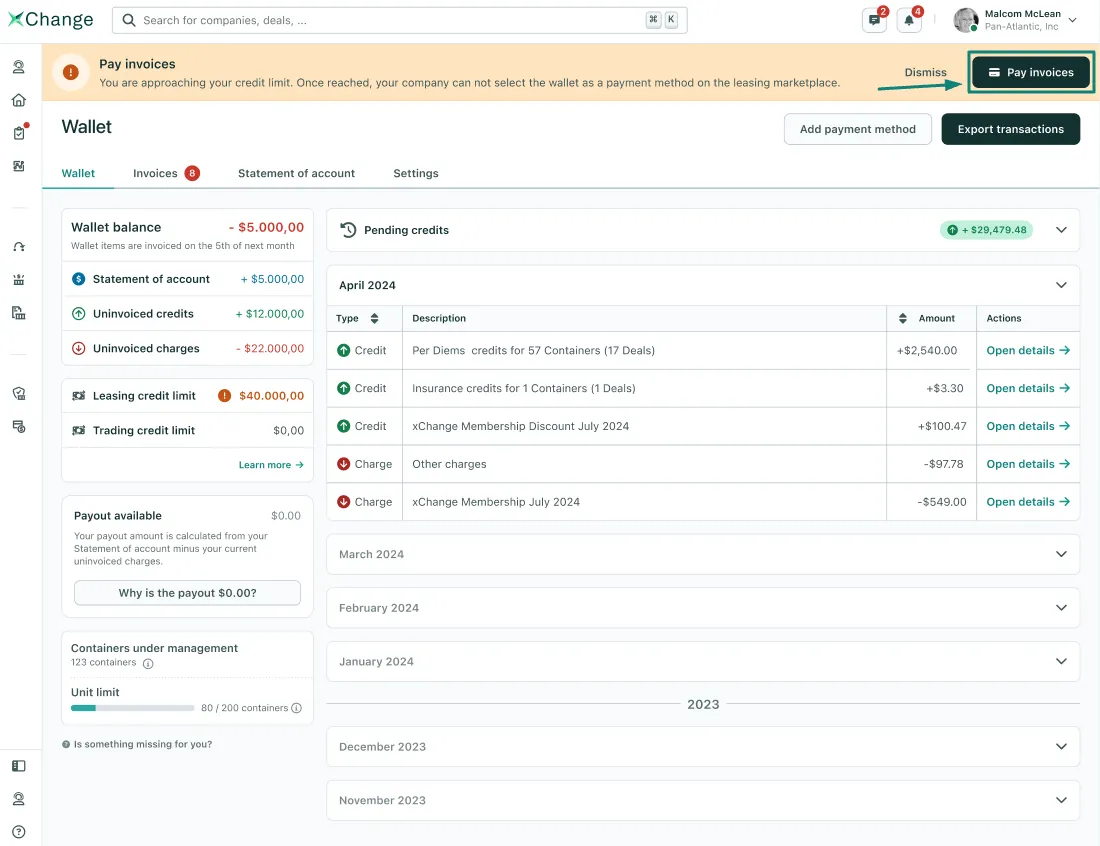
- First, go to your Wallet
- Click on the Pay Invoices button in the yellow banner.
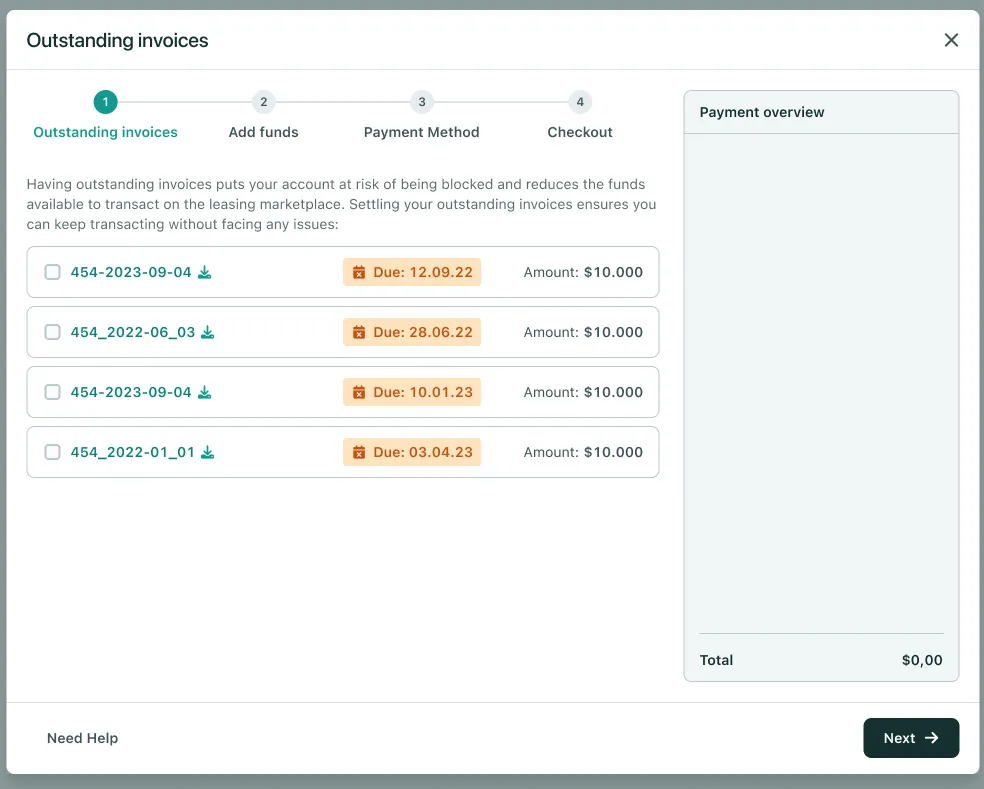
- You will see a new window open, where you can choose which invoice you want to pay.
- If you just want to top up your wallet without paying a specific invoice, you can skip this step by clicking on "Next"
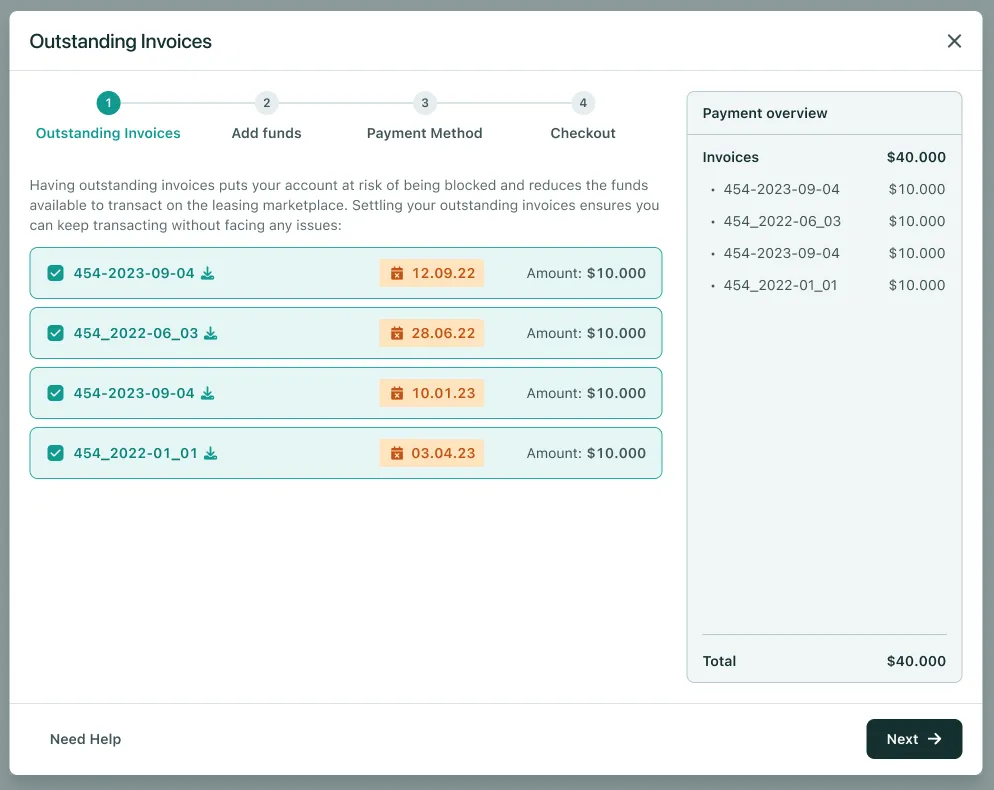
- You can also select multiple invoices at once to reduce bank fees ⬇️
- After you click on Next ➡️
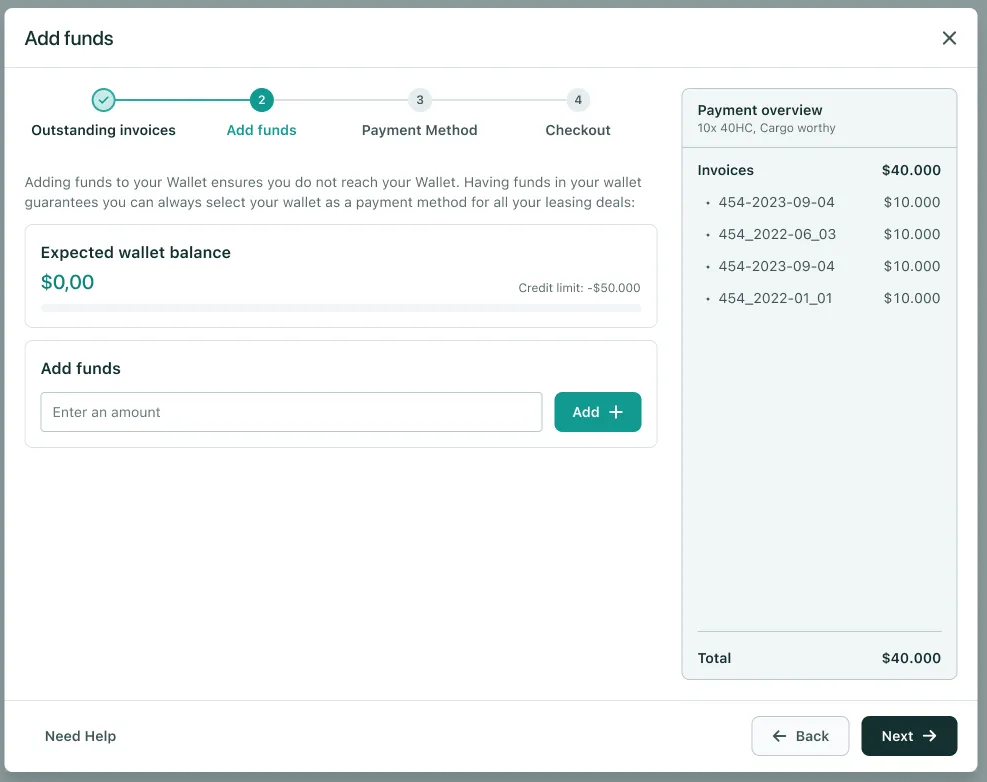
- You will be prompted to Add Funds to your wallet.
- This is an alternative way of increasing your balance with xChange. However, usually, it's better to pay outstanding invoices.
- After you click on Next ➡️
- You can select a Payment Method to pay for an invoice or simply Top up your wallet.
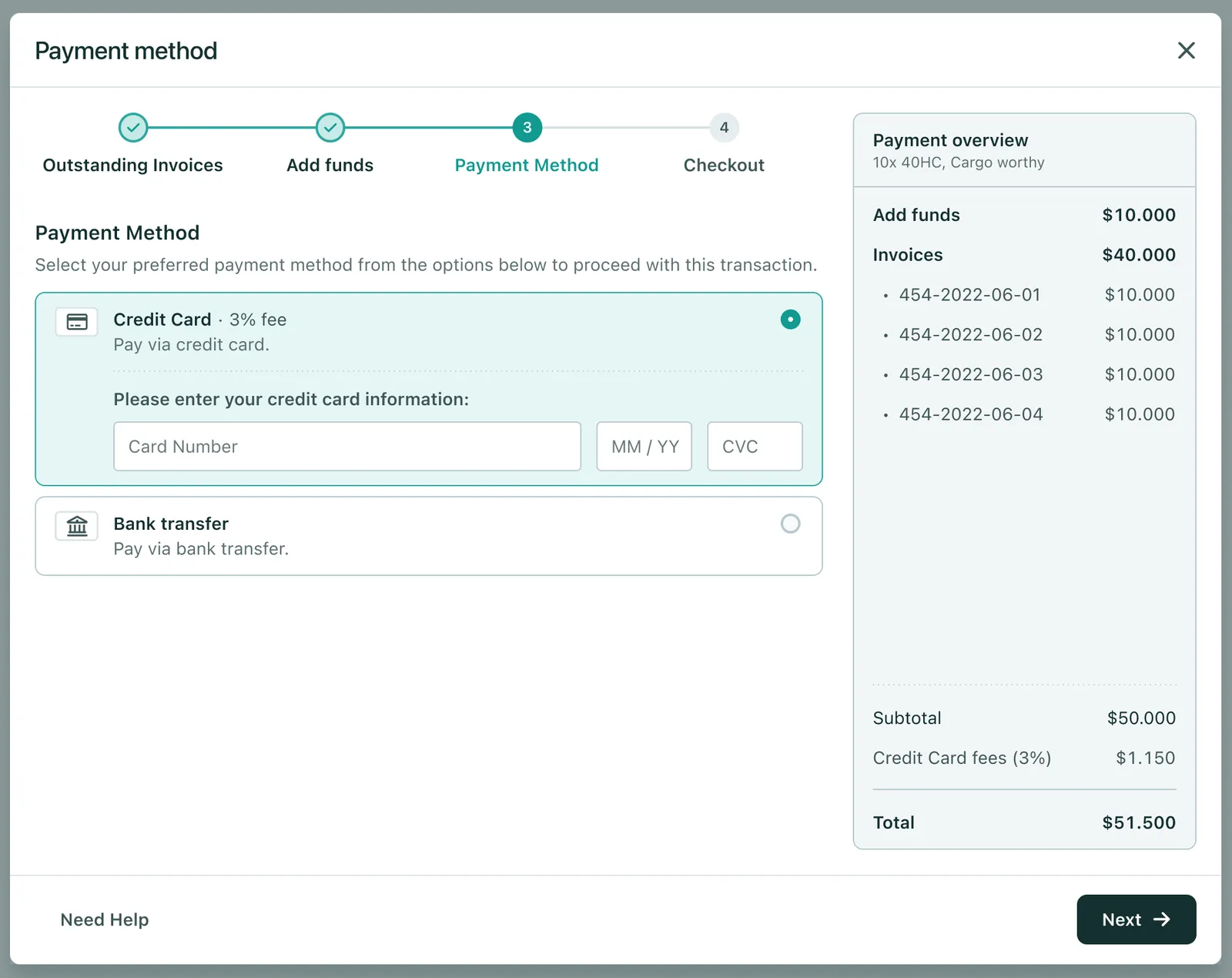
- You can pay by Credit Card or by Bank Transfer
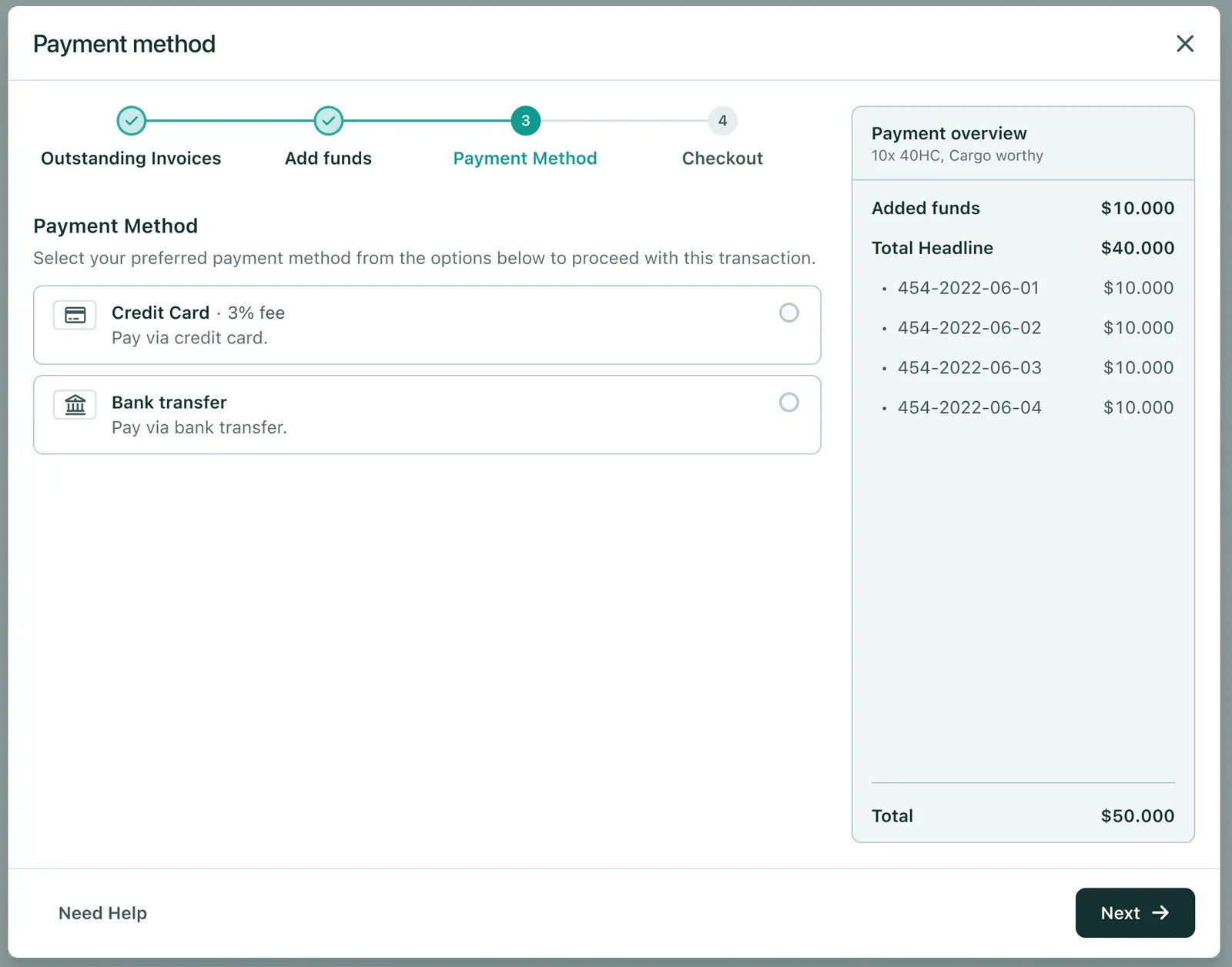
What are the advantages and disadvantages of paying via Credit Card?
- If you pay via Credit card the payment flow is instant.
- But there will also be a 3% third-party processing fee on top.
What are the advantages and disadvantages of paying through a Bank Transfer?
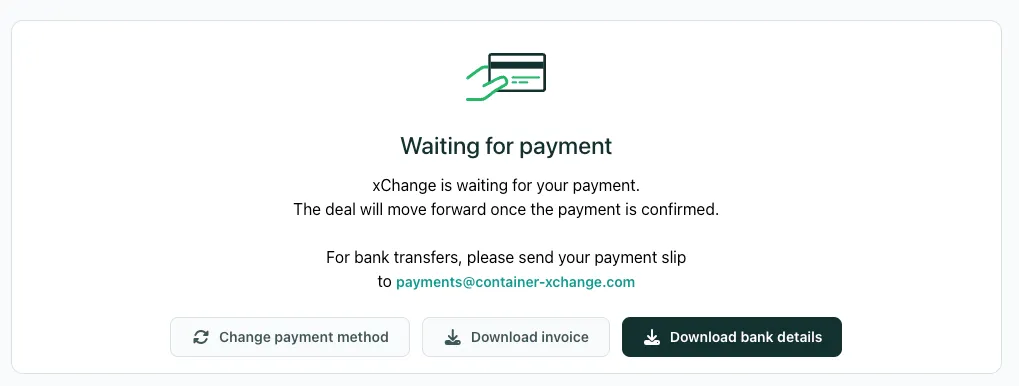
- For Bank transfers, we will provide you with all the details you need to easily conduct a bank transfer.
- You will get the option to download the invoice and an easy-to-understand email with all the details as well.
- In all Leasing deals you will also see the option to change the payment method to Credit card 💳 as shown below.
-
- Please be aware that if you use Bank transfer, your Leasing Credit Limit utilization will only reduce the moment the money is received by xChange.
Can't find what you need? Contact us