
Updated
Read this article in Chinese (中文)
Where can I upload the files?
- You can upload files to a leasing deal through the Documents section from the moment of its creation.
- You will find the Documents section on the left of the chat section ⬇️
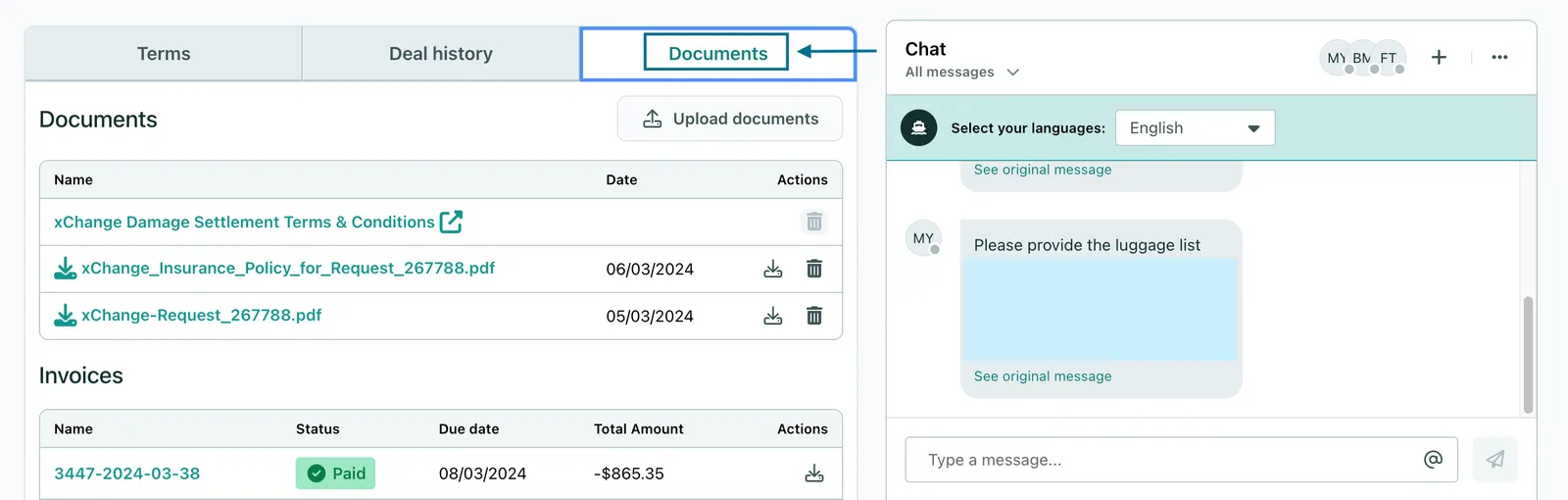
-
Click on Upload documents to share any files with your partner on that single leasing deal.
-
In this section, you can upload:
- Documentation required for insurance claims (such as photos and estimates)
- Pick-up or drop-off information (EIRs)
-
Documents that you think are necessary for this deal
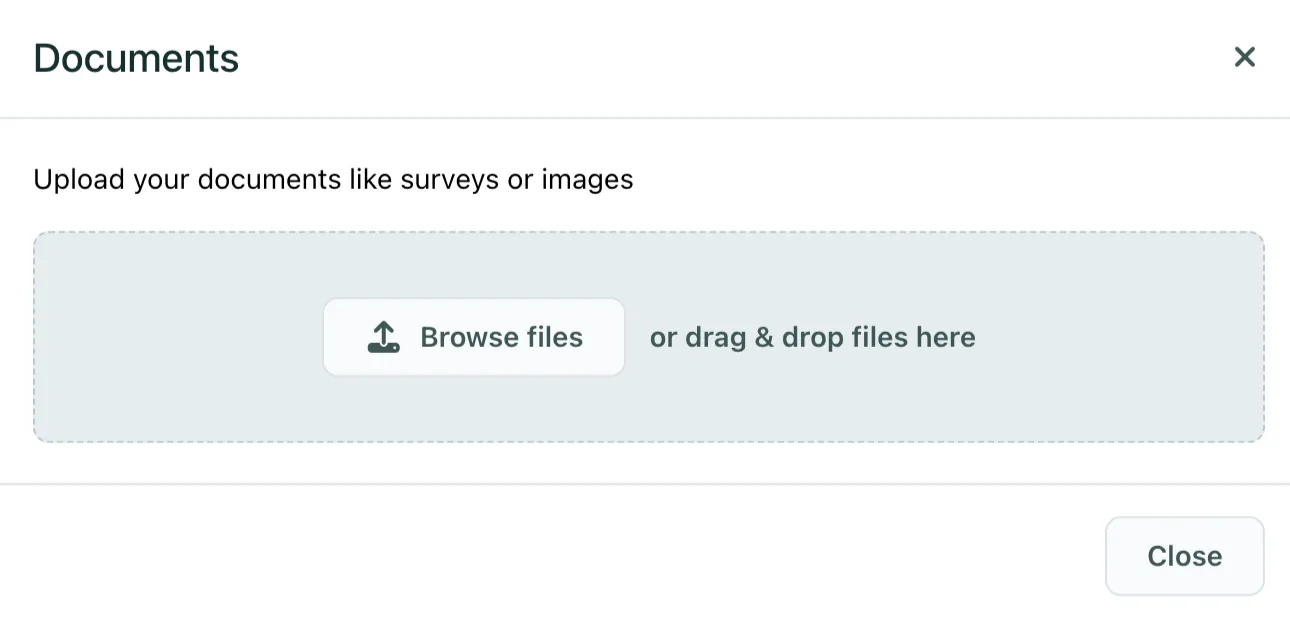
- Your partner will be notified when you upload a file, but as always we recommend that you also write them a message in the chat.
- Please note that pick-up and drop-off data should not be uploaded here, instead please use the Report pick-up or drop-off button to upload, or share with conops@container-xchange.com directly.
What type of files can be uploaded?
-
You will be able to upload files in the:
- Most images formats
- ZIP format (the main requirement is that the file is not too big).
- Note there is a maximum upload file size of 25 MB
If you are unable to upload, you can reach out to service@container-xchange.com
Can't find what you need? Contact us