
Updated
Read this article in Chinese (中文)
- Once the deal is moved to the dropoff stage, the Supplier will be prompted to provide the drop-off reference.
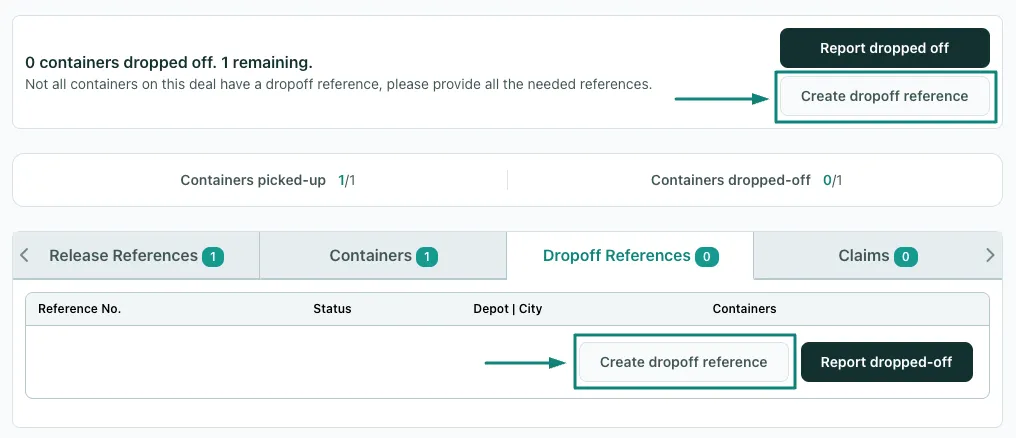
- To provide dropoff references, click on the Create dropoff reference button located on the leasing deal page as shown below:
- After clicking on the Create drop-off reference button, you will then see the following screen:
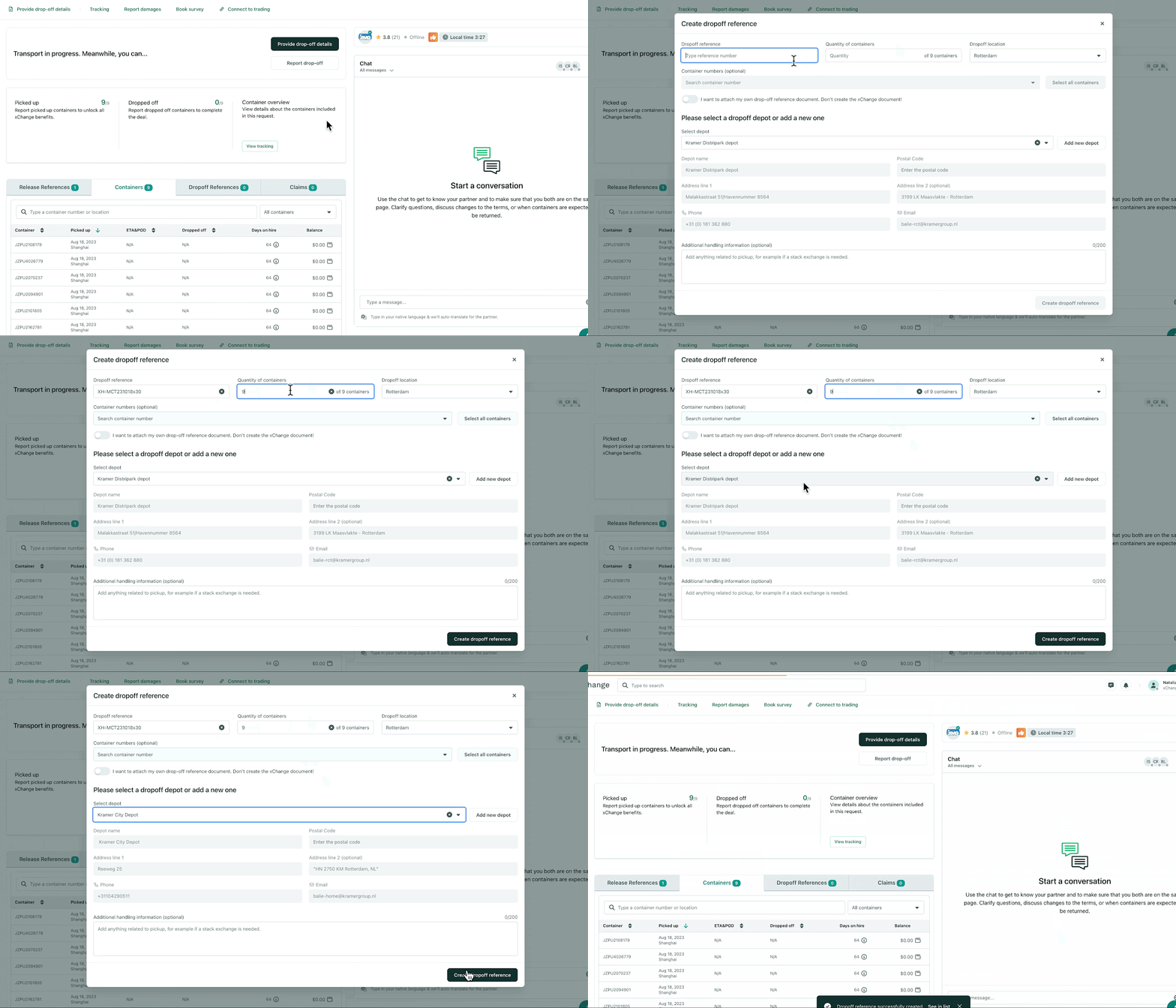
- To create the drop-off reference, you will need to fill out the following information:
- Drop-off reference number
- Quantity of Containers
- Drop-off location
- Select the Container Numbers
-
Then accurately add the depot details:
- Depot Name
- Address
- Phone
- With this information, your partner should have no issue returning the containers.
Can't find what you need? Contact us