
Updated
Read this article in Chinese (中文)
- Click on the Create Direct Negotiation button in the Leasing Search tab (main leasing deal's overview page) ⬇️

- You can then select the partner you wish to work with and also indicate the container movement *(make sure to select the correct one, to supply or use containers)
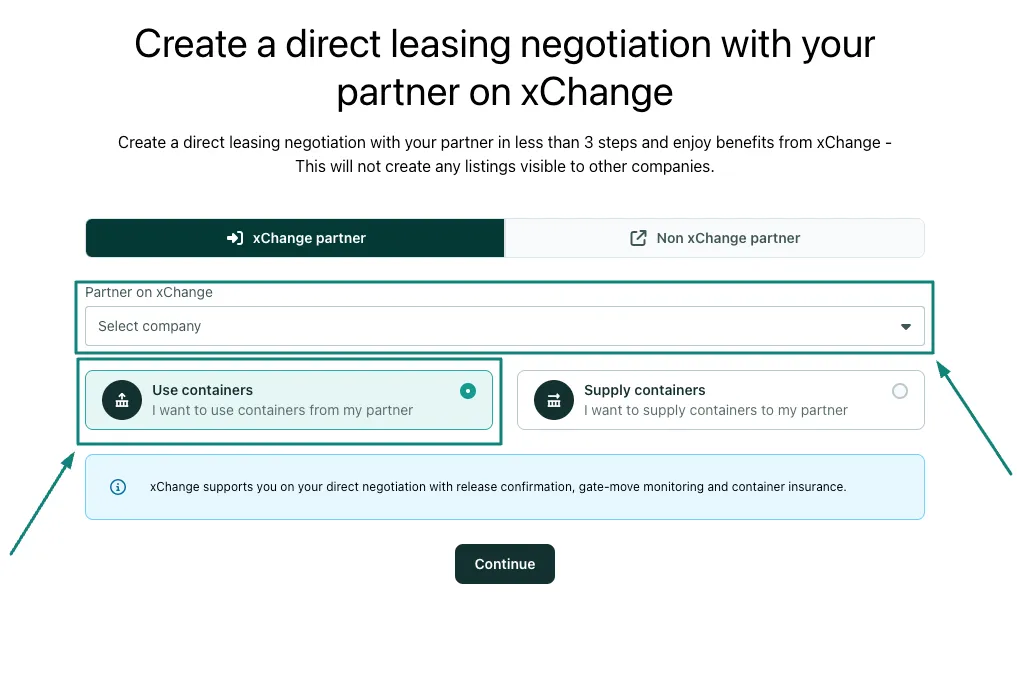
- After this, click the 'Continue' button entering all the required info.
-
Once this is all completed the Direct Deal will be created and you and your partner will be able to further negotiate within the new leasing negotiation chat.
-
After both partners confirm and accept the terms, the paying partner is prompted to complete payment of the pick-up charges (the deal moves to the payment stage).
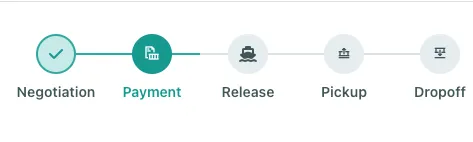
- After payment is received, the deal is moved to the release stage, and the supplier is prompted to upload the release document and provide depot confirmation.
- xChange actively monitors the gate activity at the depot and also monitors the containers until returned to the drop-off location. xChange keeps the communication open to file any dispute with damages if any.
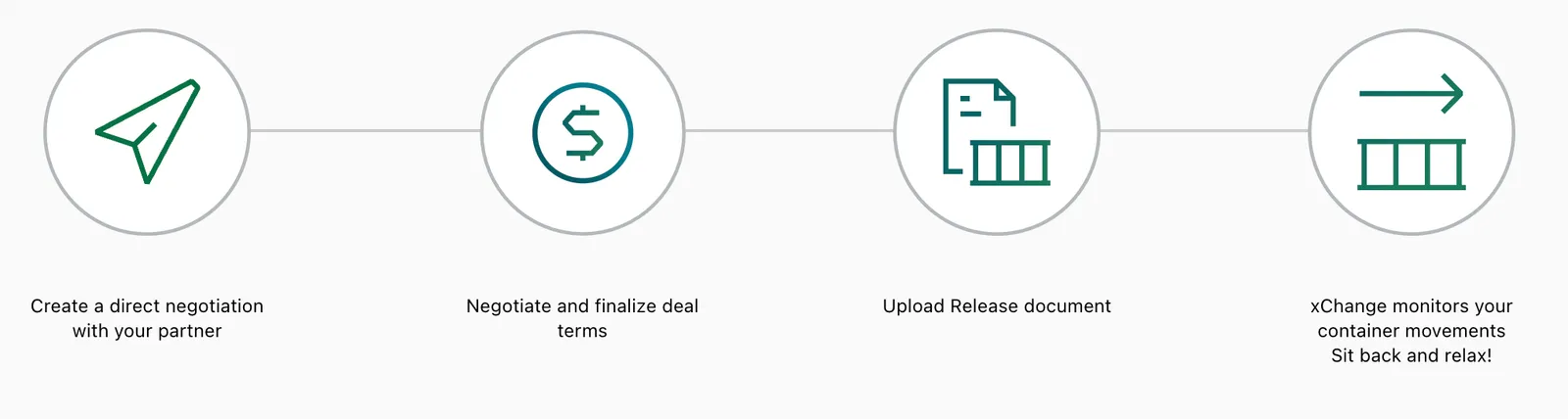
The below illustration explains the 4 above steps:
Watch a Webinar Recording on "Direct Leasing Negotiations" below:
Can't find what you need? Contact us