
Updated
Read this article in Chinese (中文)
You can find this option in the Dropoff References Tab
-
Go to the Drop off References Section and click as shown below:
-
You will be prompted to fill out the details of the Dropoff Reference such as:
- Dropoff Reference No.
- Quantity
- Dropoff location
- Container numbers
- Depot details (name, address, and most importantly a phone number and email to confirm the reference)
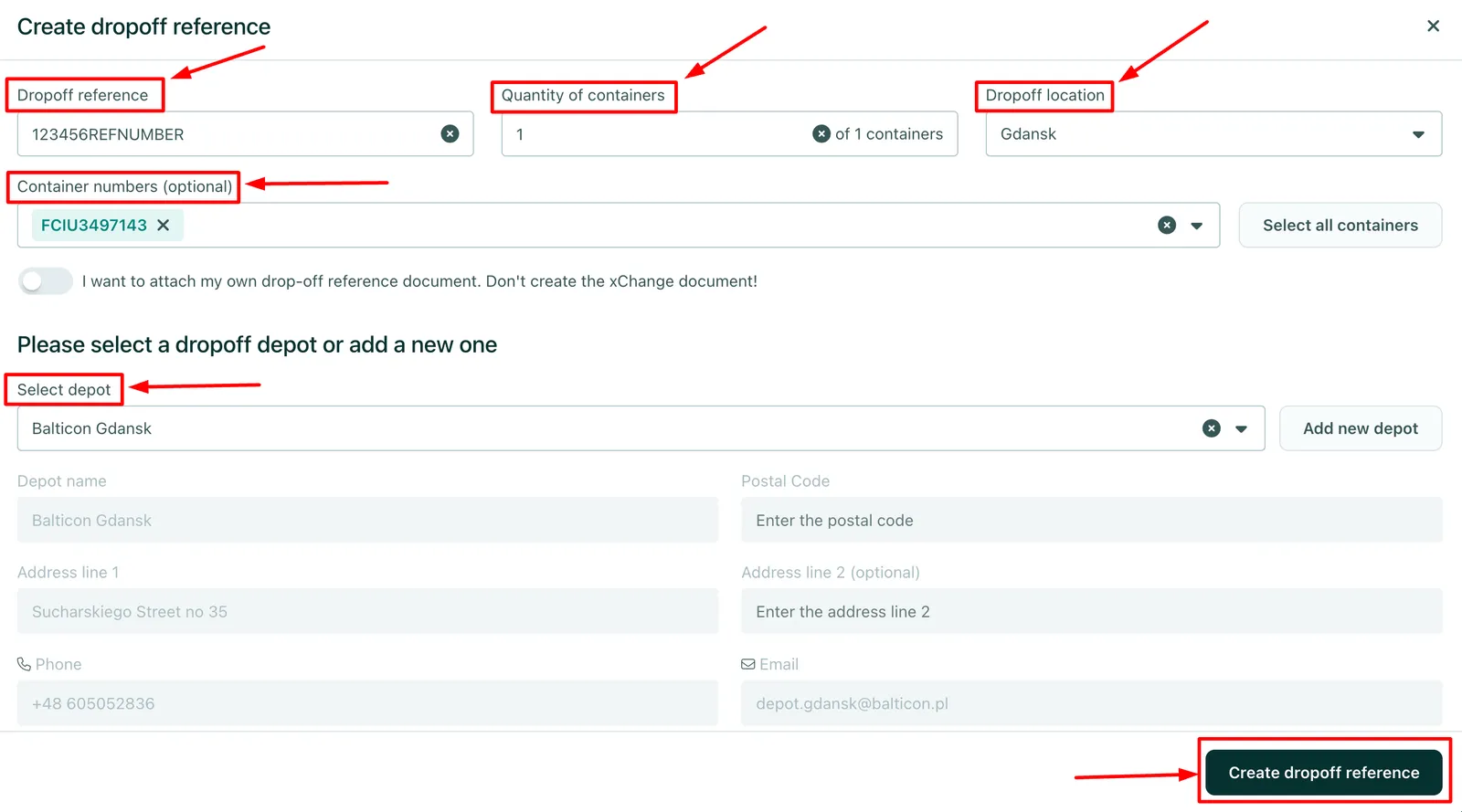
3. To complete the process, click on Create Dropoff Reference
You can create several references for a single deal. As soon as you create a reference, the user is informed via email and platform notifications.
How did the User request the Drop-off reference?
Check this related article for more info:
I am the User of a Leasing deal, how can I request a Drop off Reference?
Can't find what you need? Contact us