
Updated
Read this article in Chinese (中文)
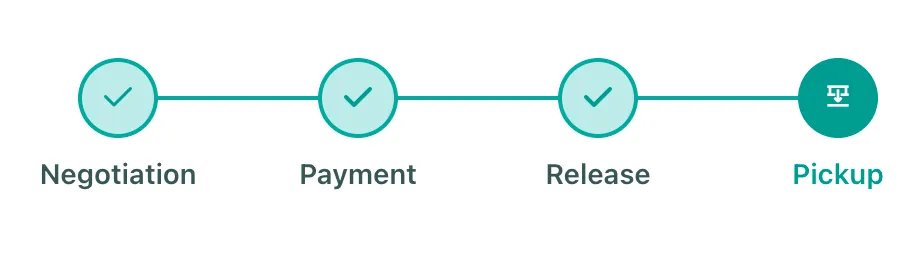
The Pick Up Stage
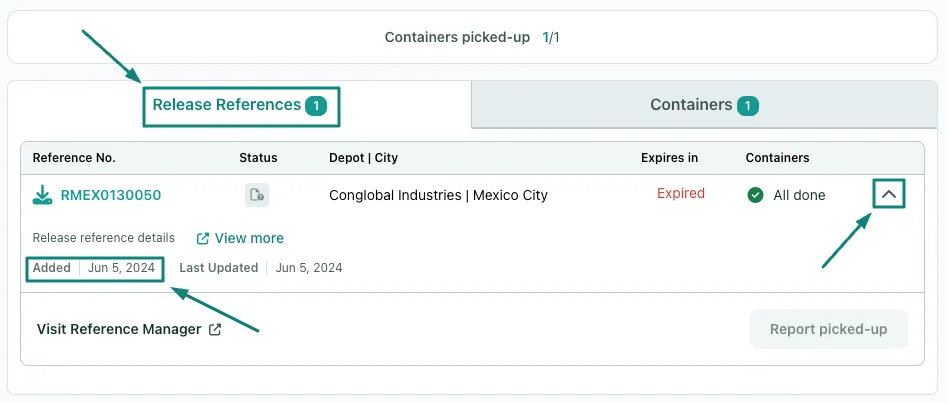
Where can I find the release?
-
As we explained in the article: What happens during the Release Stage of a Trading deal?
- When the Seller uploads the release, the deal will move to the Pick-up stage
- You will find the Release uploaded under the Release Reference tab
- When the Seller uploads the release, the deal will move to the Pick-up stage
Is there anything I need to do before picking up the Containers?
-
During the Pick-up stage, the Buyer can proceed with the pick-up of the units after completing the following actions:
- Contact the depot 24 hours before the actual Pick-up to confirm the Release with the depot (that the document is in their system)
- Confirm the units are available to be gated out.
- Make sure the unit(s) are in the agreed condition before they are Gated Out of the Depot
What should the Buyer do after a Container has been Picked up?
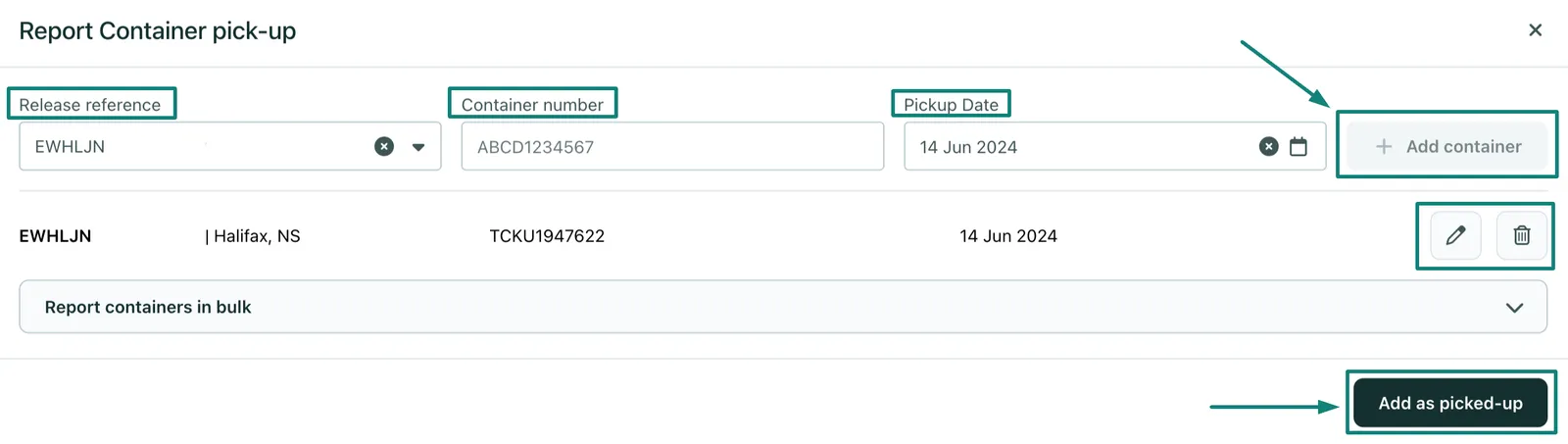
- To keep your partner and xChange informed, we ask all Buyers to help us report the Picked-up containers through either of the Report Picked-up options
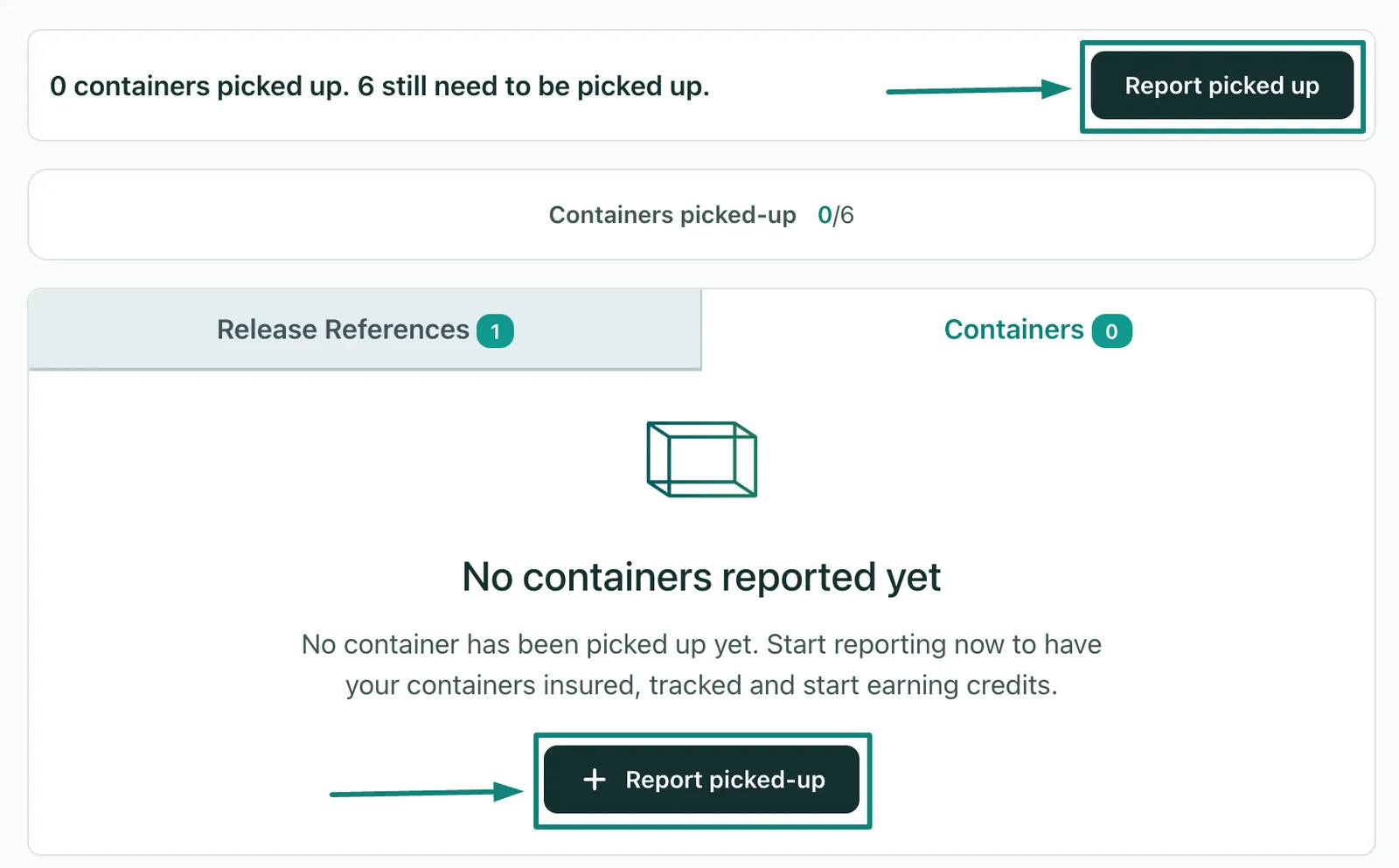
- You will need to fill out the fields shown below with the following information:
- Release reference number
- Container Number
-
Pick-up date
- Before you report it, you also get the chance to review it or delete the data entirely
- After reporting the picked-up units, you will find the data reported under the Containers tab
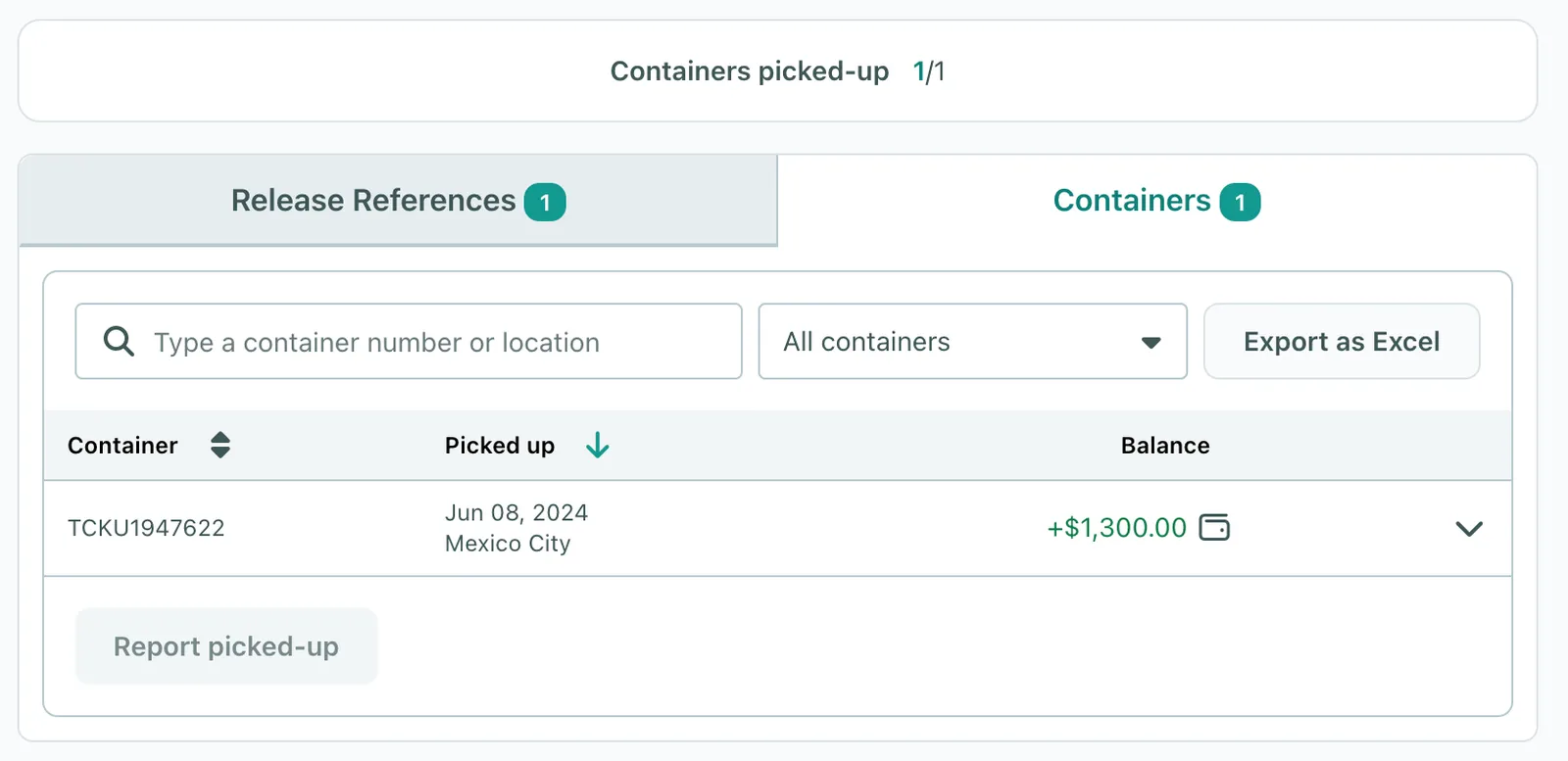
- Once all the units are picked up, the negotiation will be marked as Completed
Can't find what you need? Contact us