
Updated
Read this article in Chinese (中文)
You can download an Excel file of your Containers in Leasing deals
-
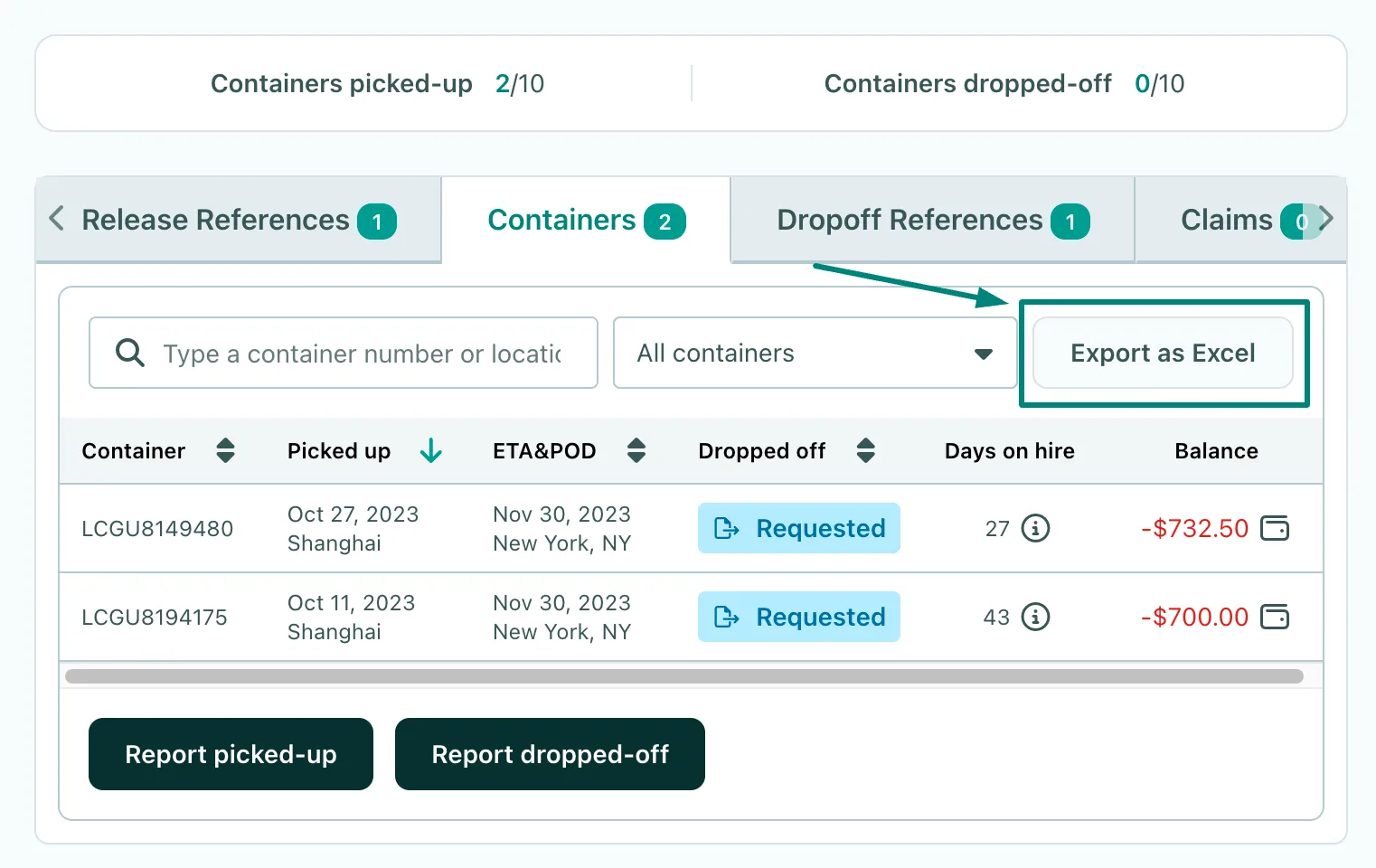
To do this, go to the Containers tab right next to the chatbox ⬇️
- This tab will reflect all the reported pick-up or drop-off data up to that point in the leasing deal.
- Click on Export as Excel
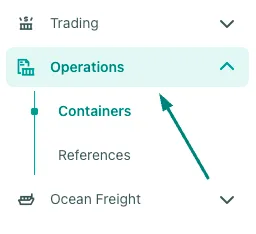
You can also download this file through the Section in our Menu ➡️ Containers
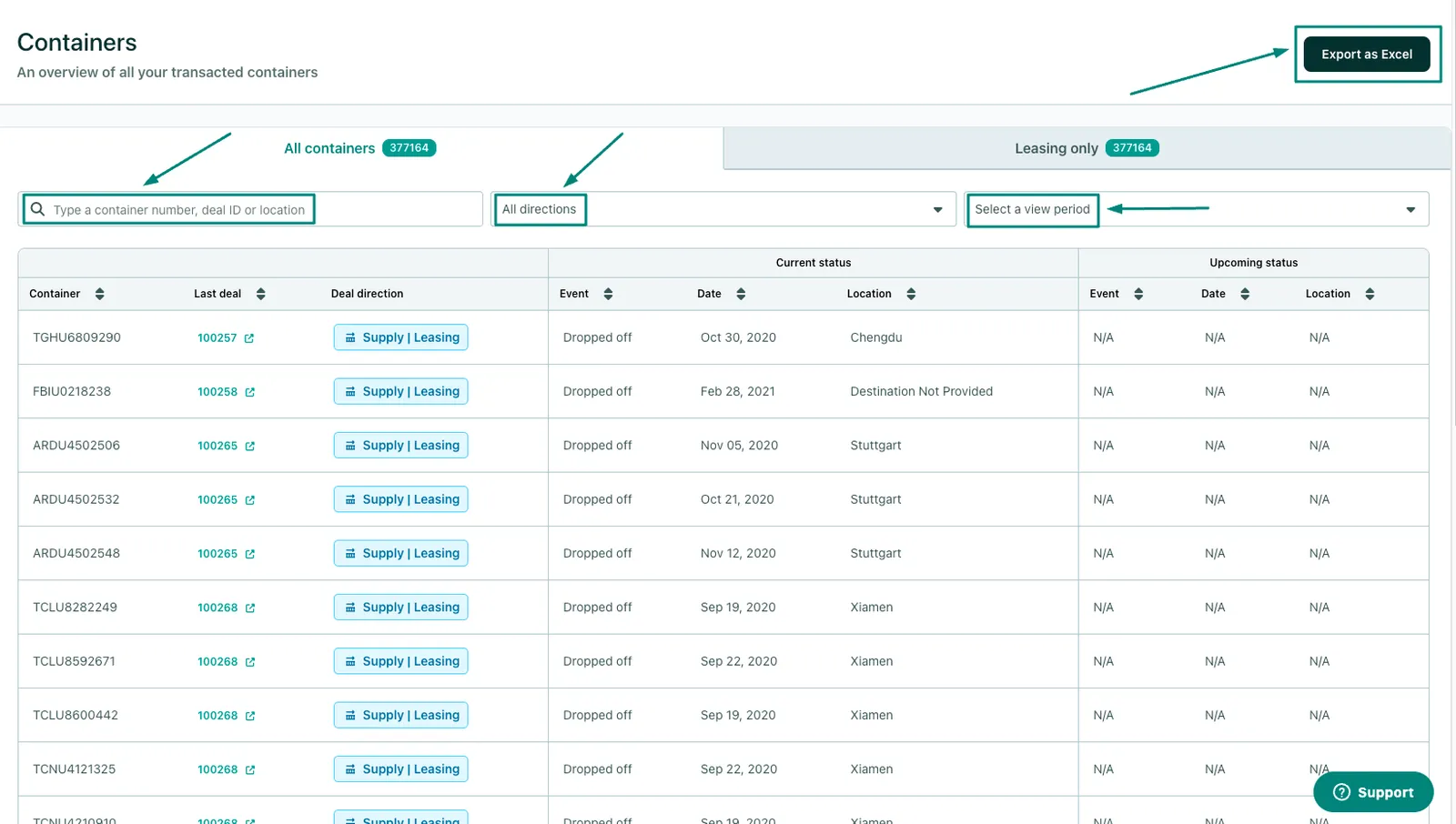
- Here you will be able to find all the container numbers reported on the platform.
- You can easily find any specific container through the Search function, by entering:
- Container number
- Deal ID (Both Leasing or Trading deals!)
- Location
Where can I download an Excel file of my Containers?
- As you can see in the image above, this is where you can Export the container list with all the related data:
- Pick-up dates and locations
- Drop-off dates and locations
Can't find what you need? Contact us