
Updated
Read this article in Chinese (中文)
You can Dispute reported Data directly on the Leasing Deal
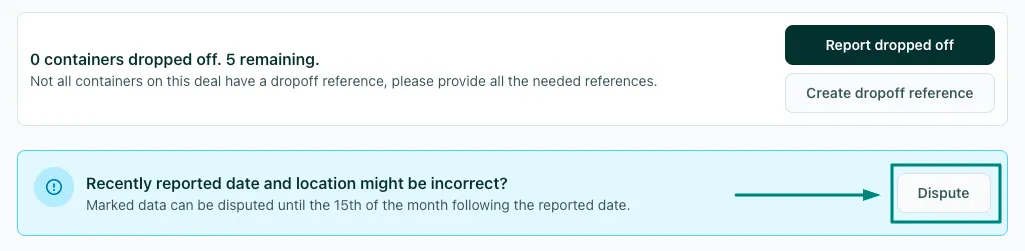
- You will see the Dispute button displayed at the top of the deal:
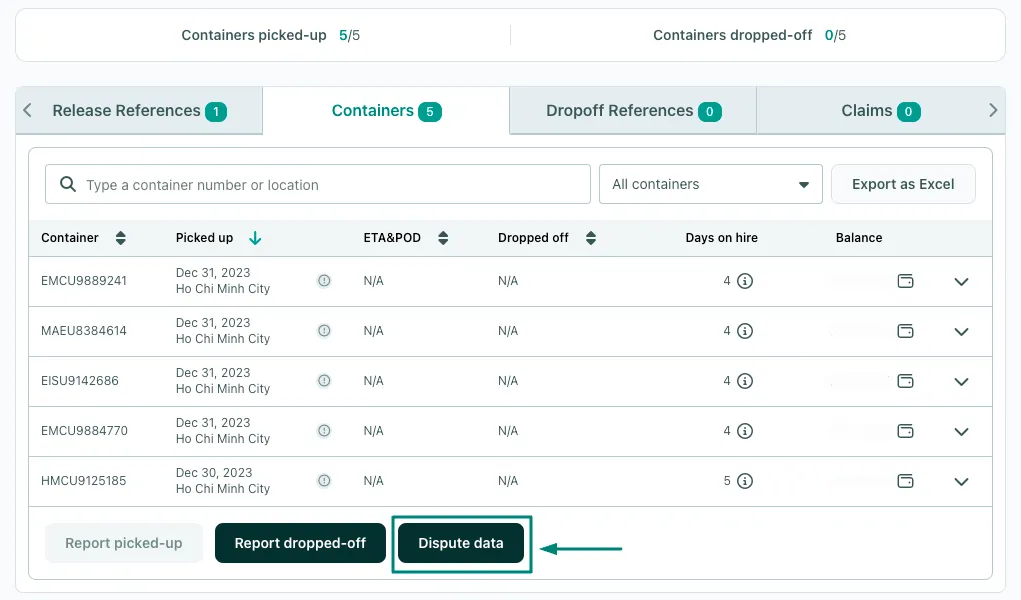
- Or under the Containers Data Tab:
- After you click on the Dispute button, you will be prompted to select the specific data you are disputing:
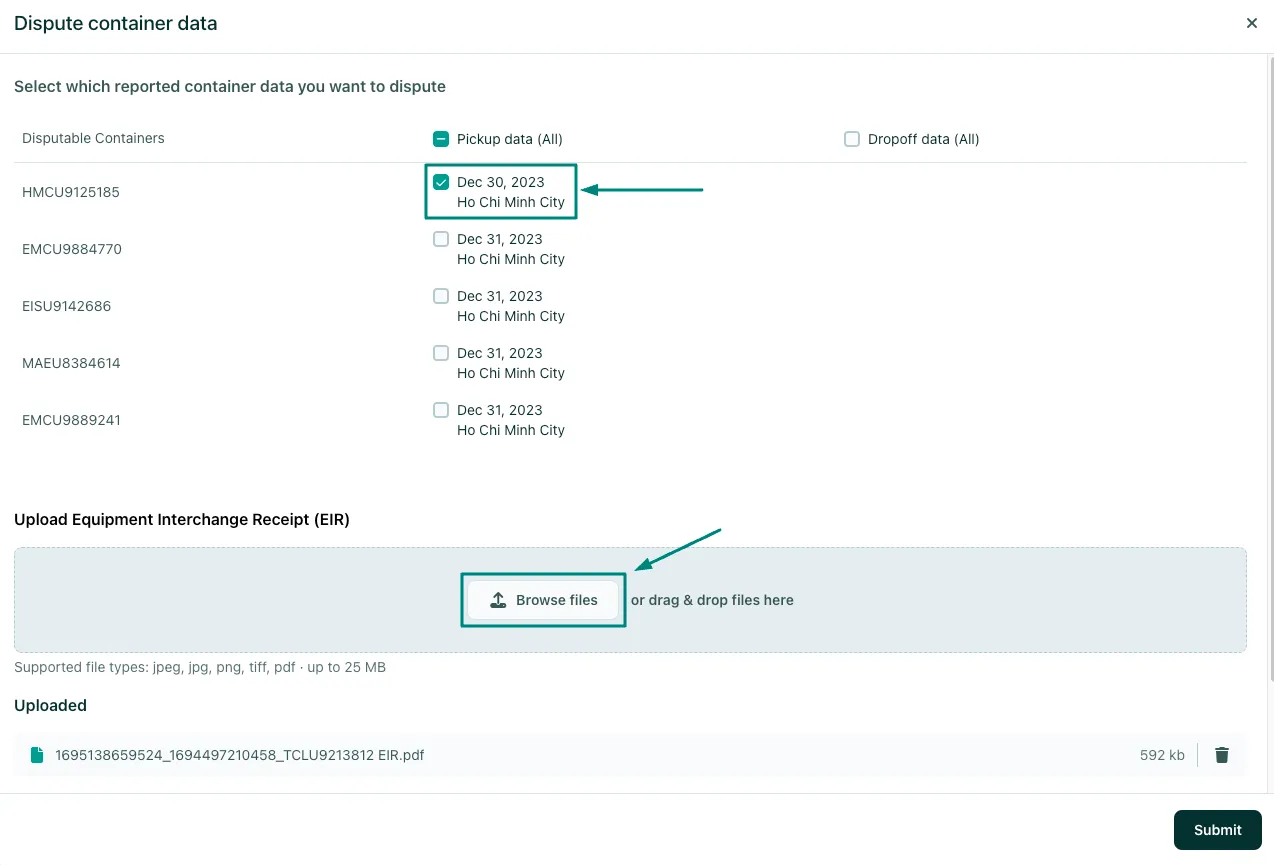
- Make sure to upload the required EIR (Equipment Interchange Receipt) and click Submit to complete the claim.
Can both Users and Suppliers open a data dispute?
- According to Container xChange's Claim Terms and Conditions, both Suppliers and Users can open a claim to dispute the reported data on a Leasing Deal.
Is there a deadline to dispute the reported data?
-
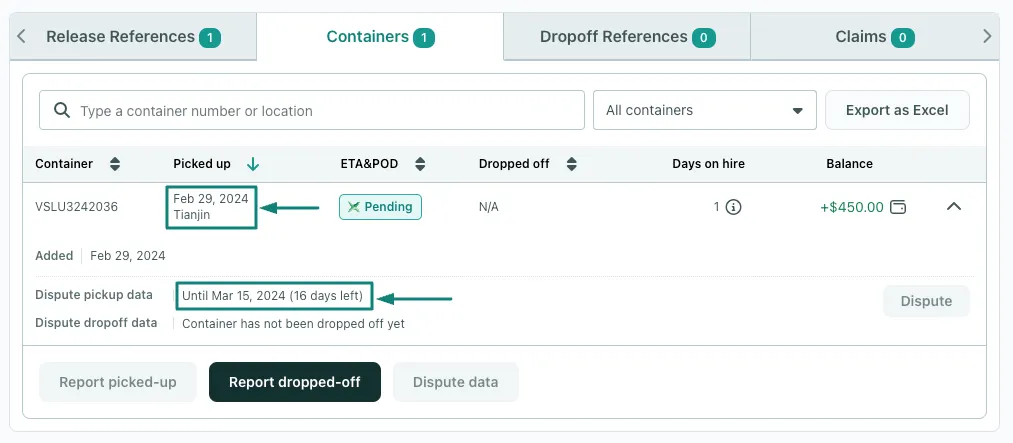
Both Suppliers and Users have the right to dispute the validity of the reported pick-up and drop-off data on the Leasing Platform until the 15th of the month following the month in which the data was reported.
- For example, if a unit is reported as picked up in February, the User or Supplier has until the 15th of March to dispute the data as shown in the image below.
- If you have any follow-up questions feel free to reach out to customer support through any of the channels mentioned here: How can I get help from xChange Customer Support?

Can't find what you need? Contact us