
Updated
Read this article in Chinese (中文)
- After both partners have confirmed the terms, an invoice will be generated, and the paying partner will be prompted to select their payment method.
-
When the deal is accepted, the invoice will be added to the wallet.
- This does not mean the Leasing Credit Limit (Wallet balance) 💰 has been charged already.
- We will only charge the invoice to the paying partner's available wallet balance after they click on the option Use Wallet to Proceed
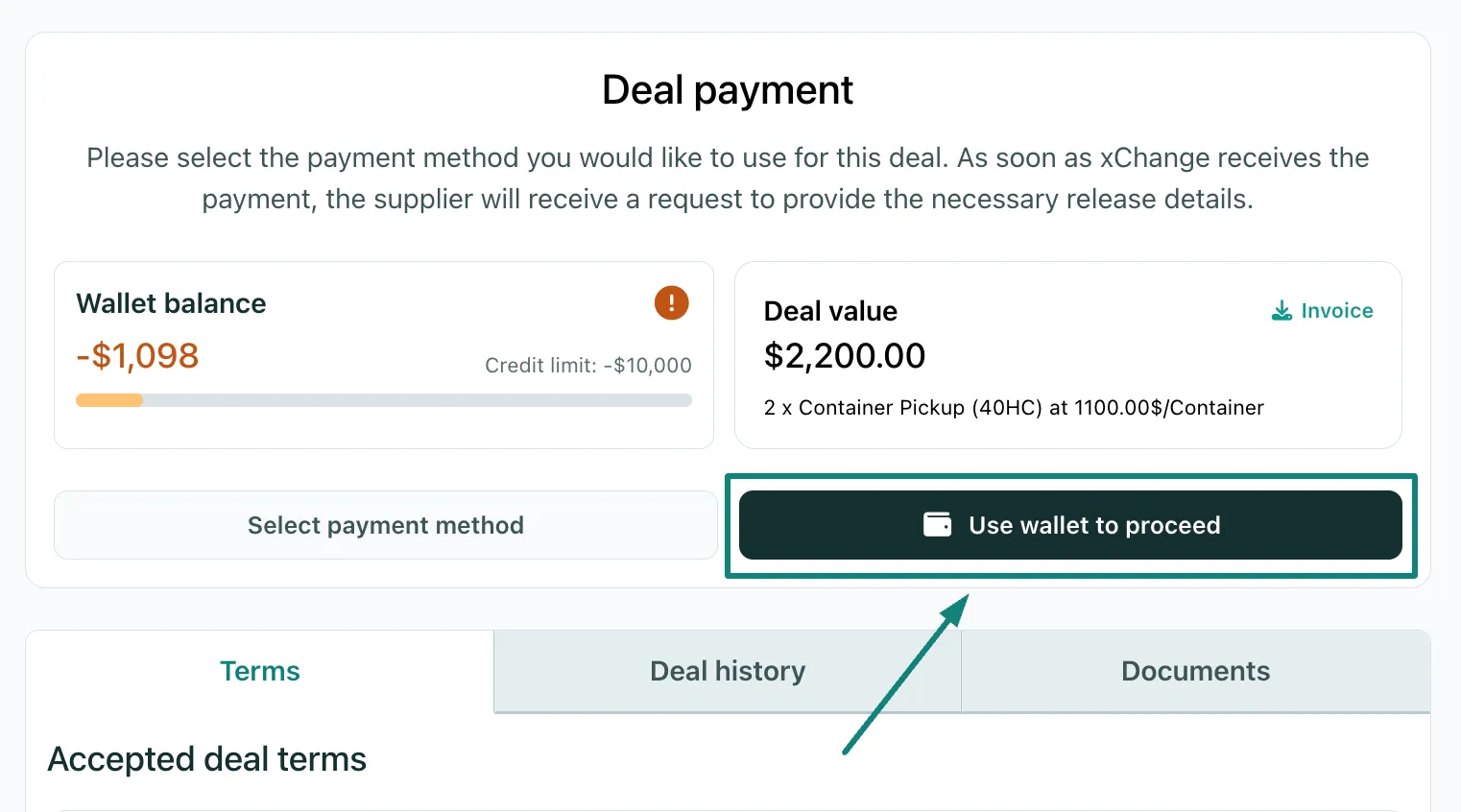
- In the example above, the paying partner has enough Wallet balance to proceed with the "Use wallet to proceed" option.
- After selecting this option, the deal will be moved to the Release stage instantly:
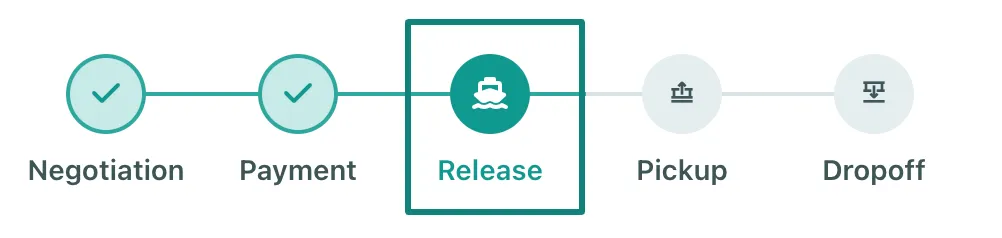
- The Supplier will be requested to provide the Pick-up Release Reference
What happens if I click on the Select Payment Method button?
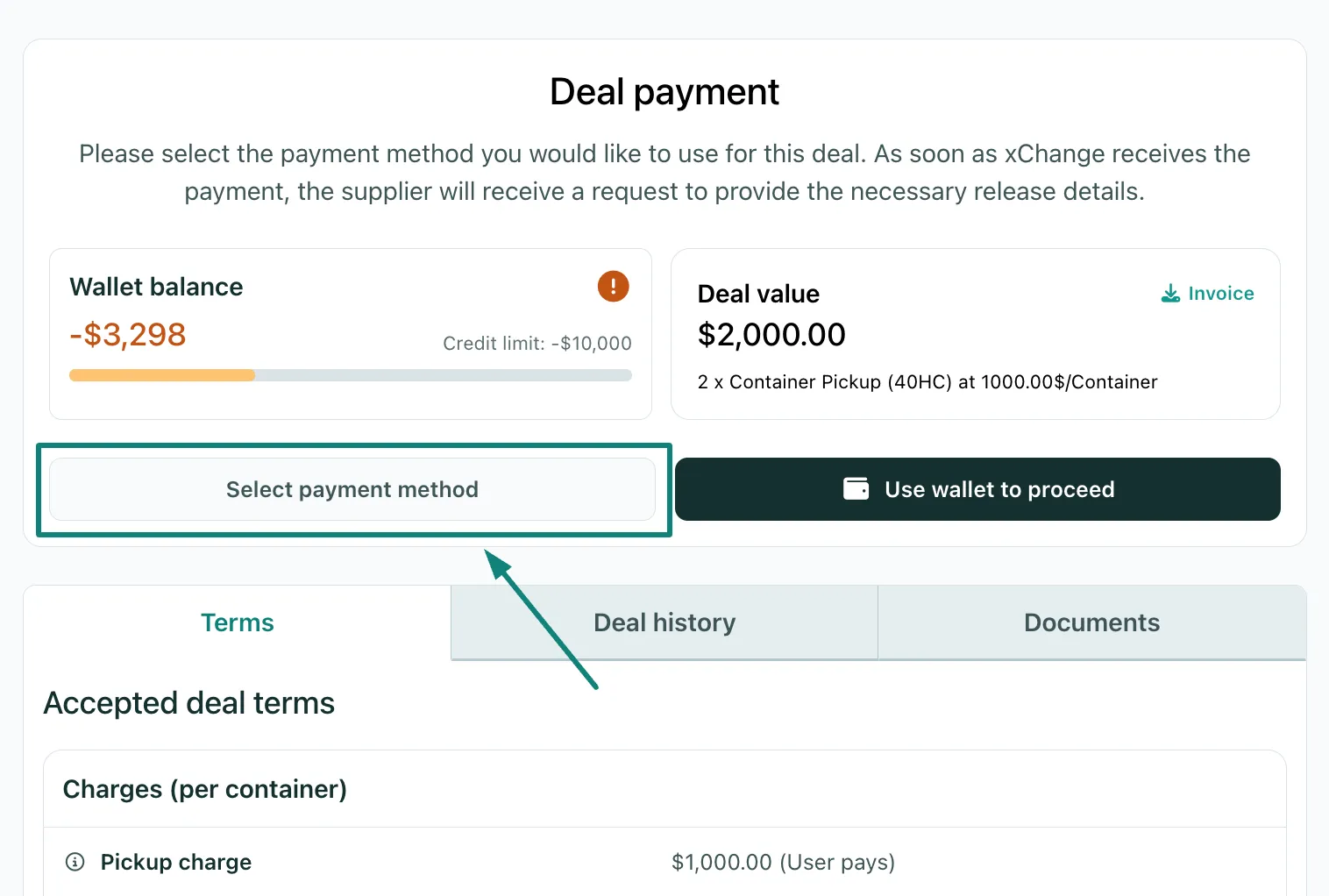
- After the paying partner clicks on the Select Payment Method option:
-
The paying partner will see the following payment method options:
- Wallet balance (if available)
- Credit Card
- Bank Transfer
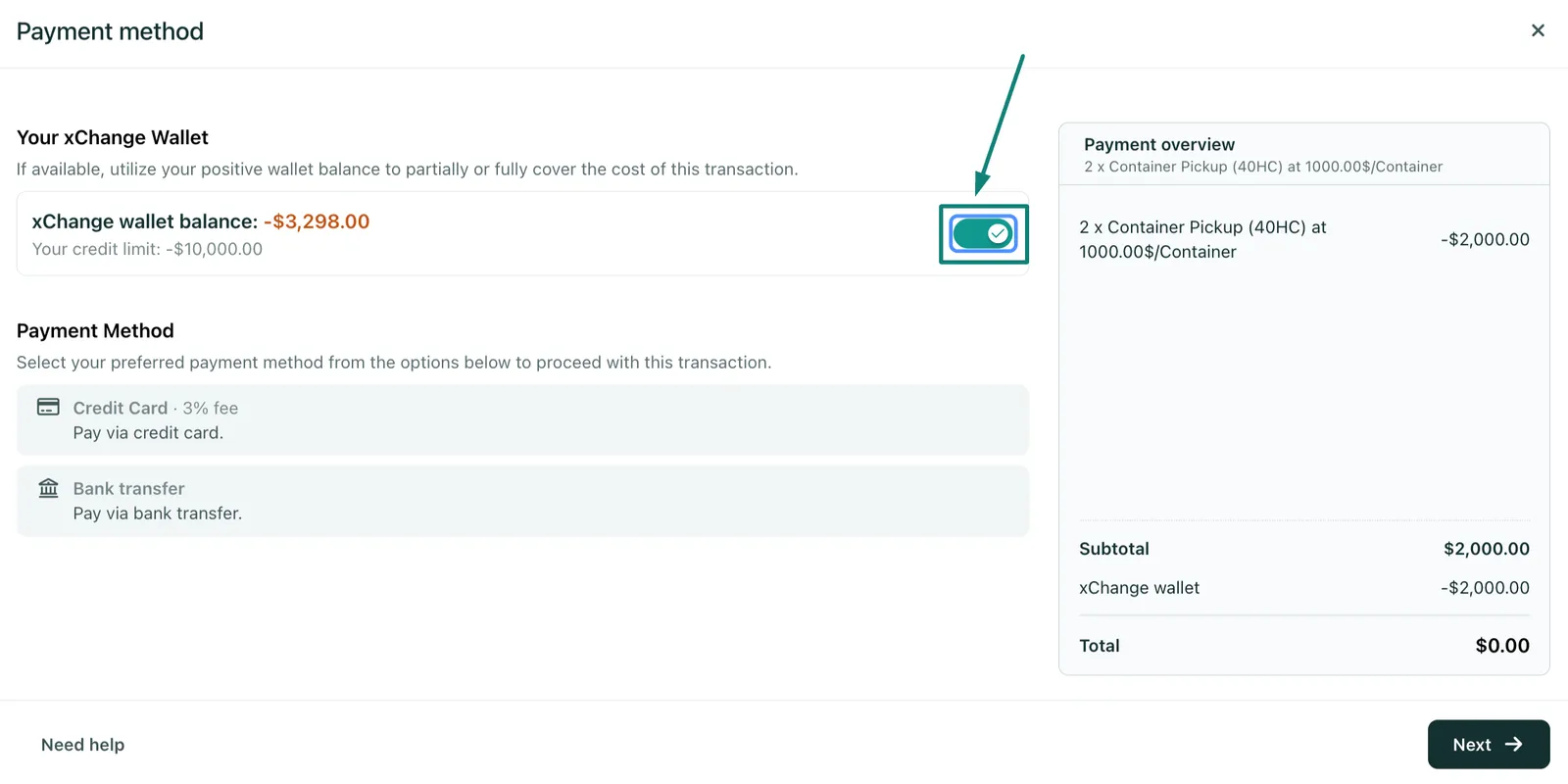
- The paying partner can now select the payment method of their choice.
-
It is worth noting that the credit card and wallet balance payments are instantly credited to the deal.
- For bank transfers, both partners would have to wait for xChange to receive the payment.
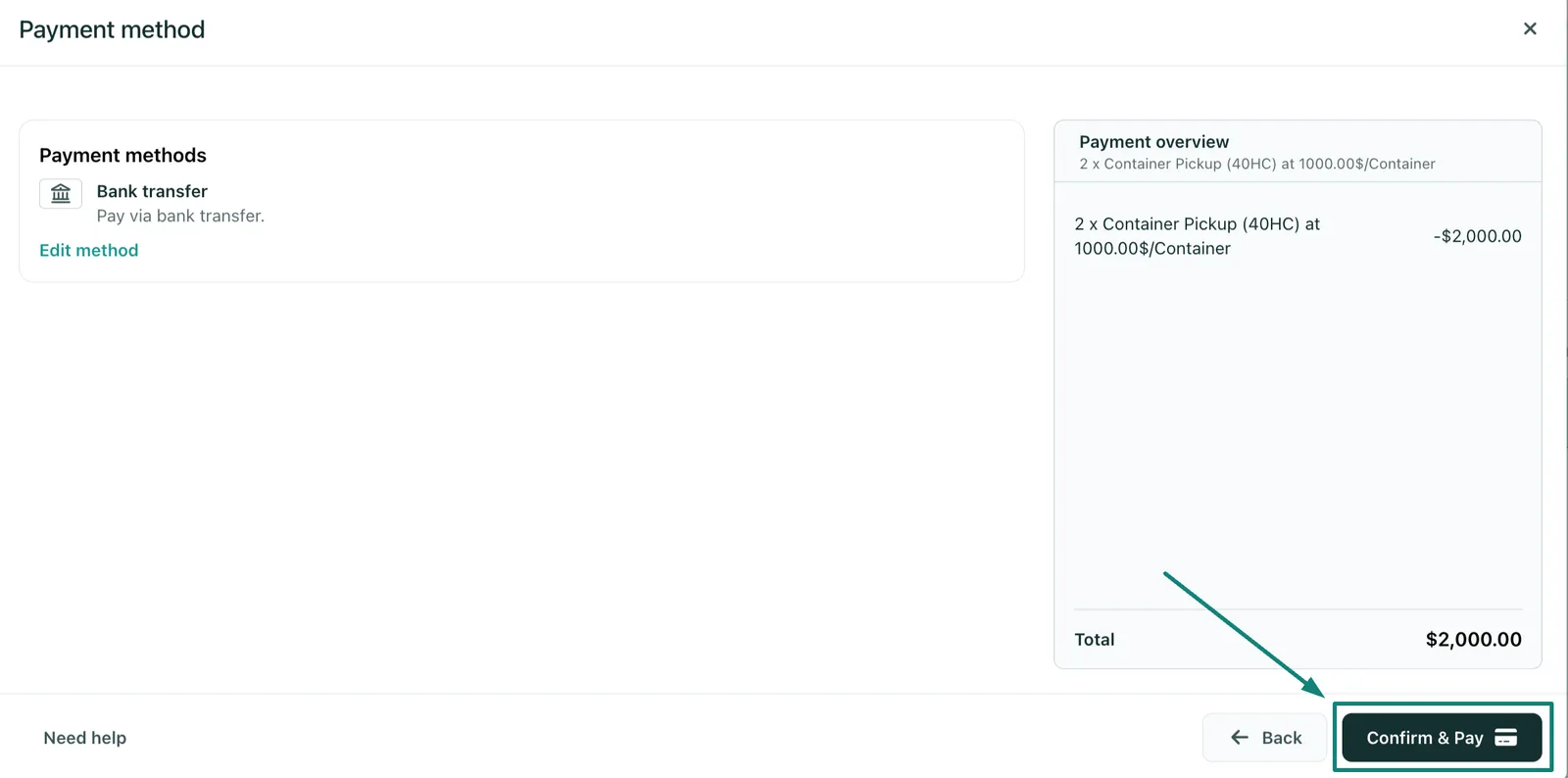
- For bank transfers, both partners would have to wait for xChange to receive the payment.
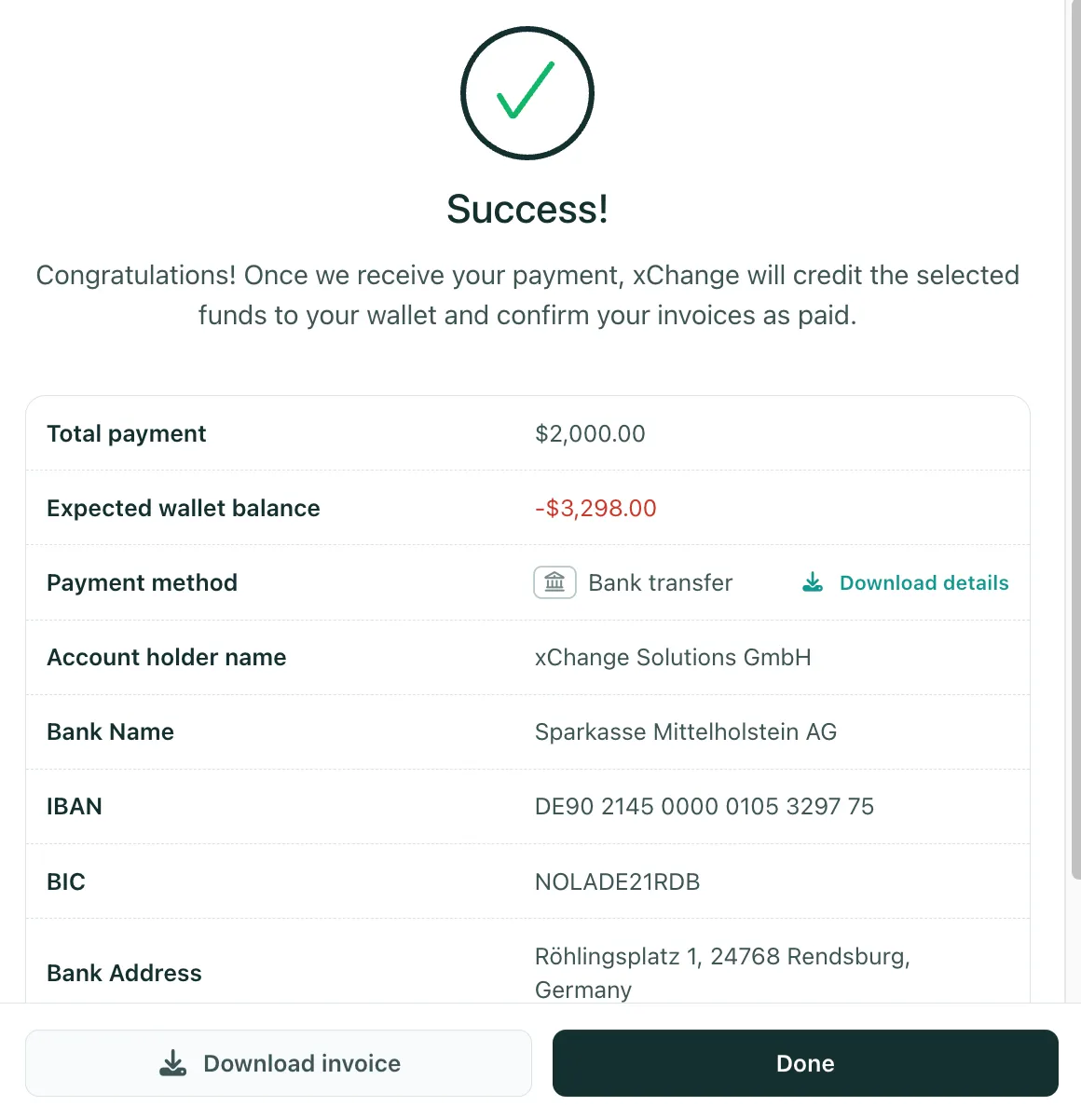
- If the paying partner selected Bank transfer as their payment method, after they click on Confirm & Pay, they will see the following:
What happens if I want to use xChange Wallet balance or Credit Card to proceed but accidentally click on Bank Transfer?
- You can review the article:
Can't find what you need? Contact us