
Updated
Read this article in Chinese (中文)
1. Go to the Operations section and click on the Containers tab to view all your containers.
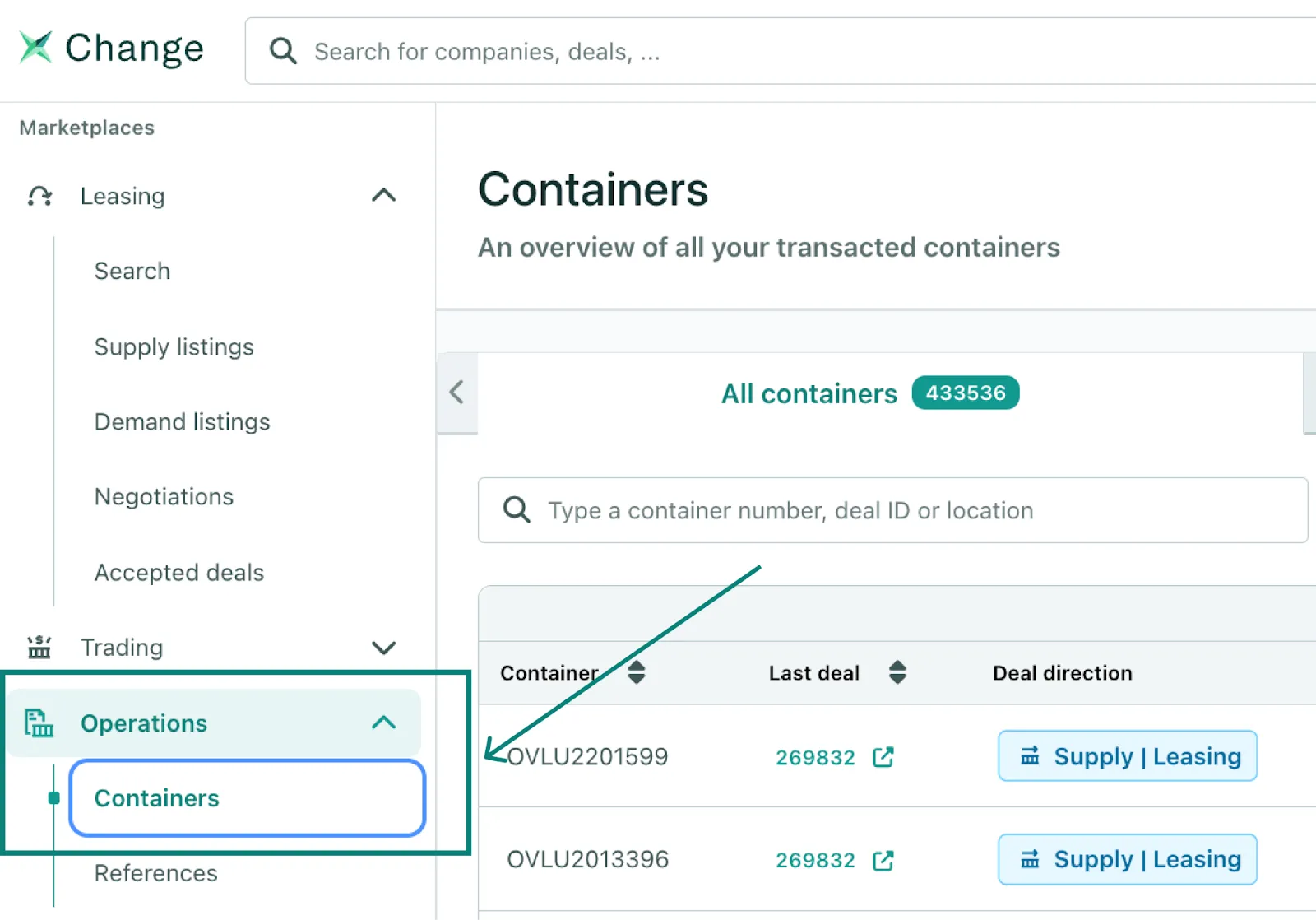
2. Use the search bar to quickly locate the container(s) you want to review.
- You can filter by Container number, Deal ID, Partner Company, or Location.
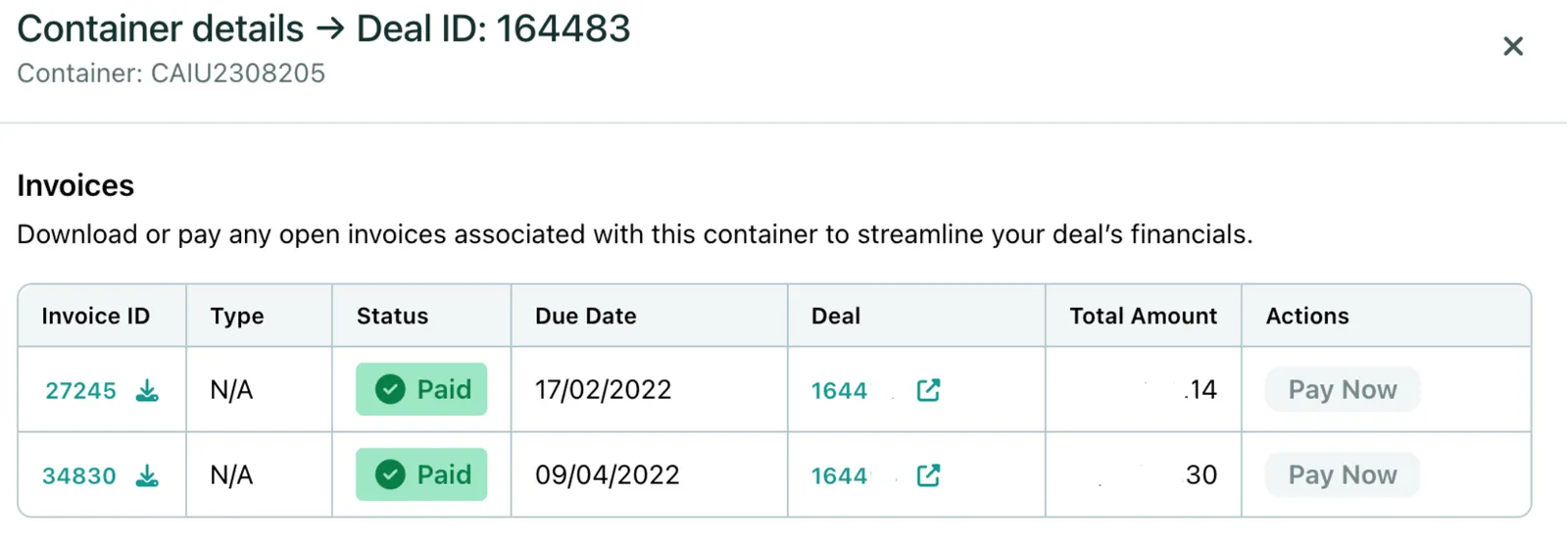
- Click on See Invoices to check invoice details.
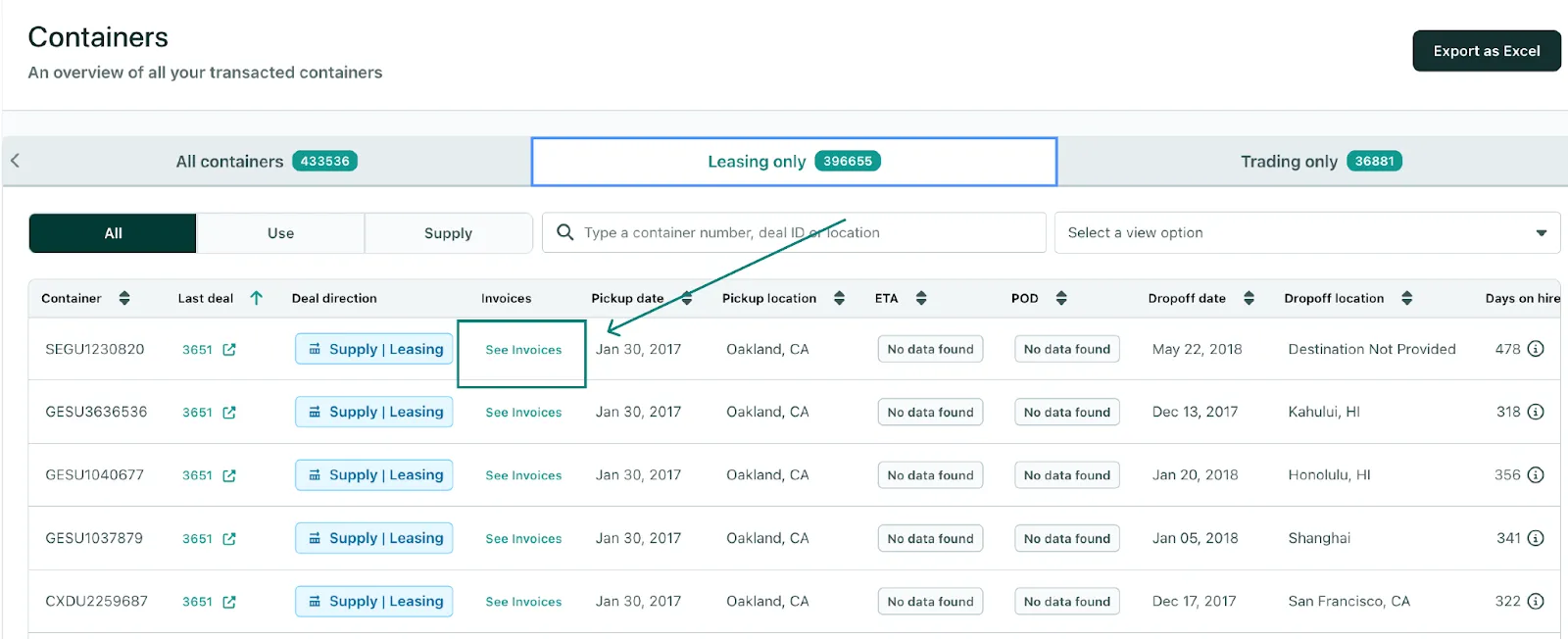
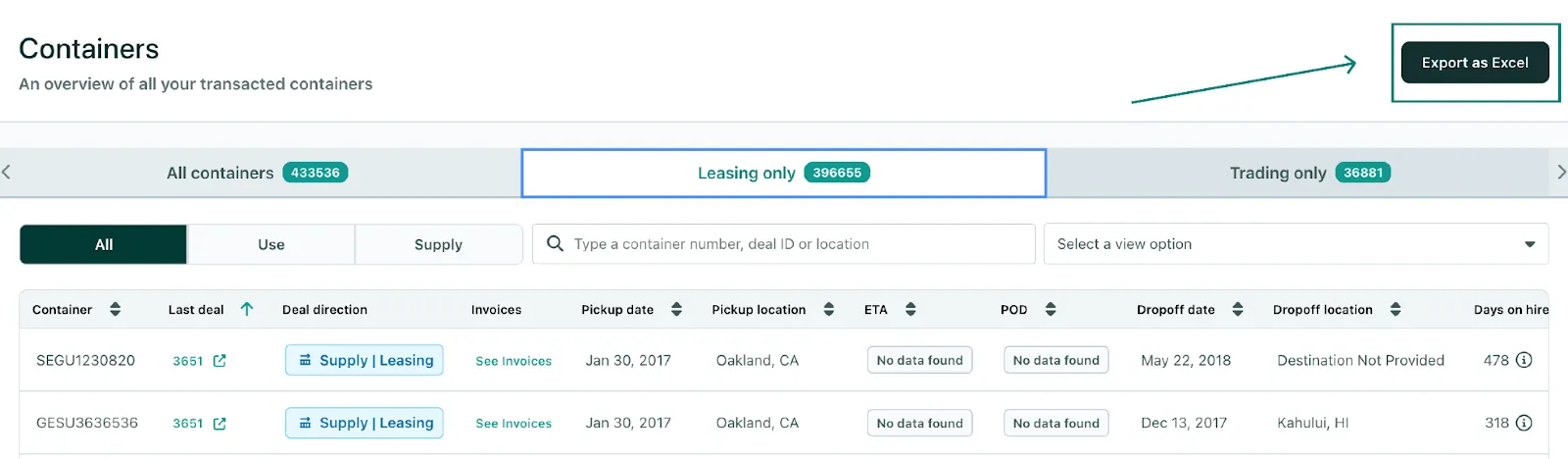
3. Optionally, export data by clicking Export as Excel
4. Within the downloaded spreadsheet, you will find each item is linked to its invoice on the platform. You can access it by clicking on See Invoices in the spreadsheet.
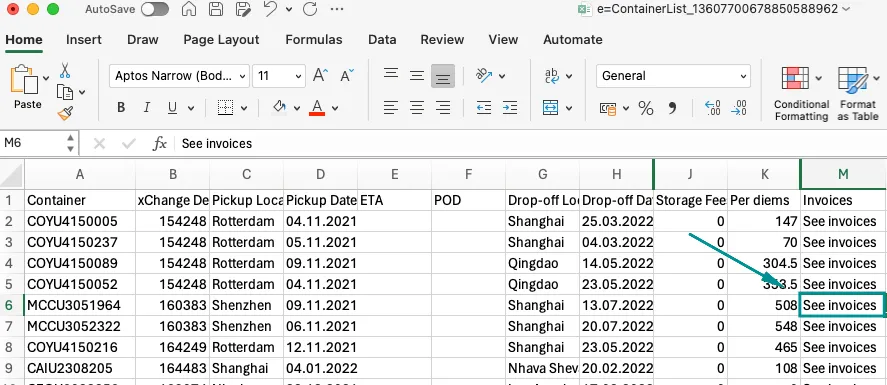
5. By clicking there, a link will open that takes you back to the platform ⬇️
Can't find what you need? Contact us