
Updated
At Container xChange we love to update and improve our processes. In this article, you will find the updated process to request a Payout from within your Container xChange Wallet.
Step by Step walkthrough
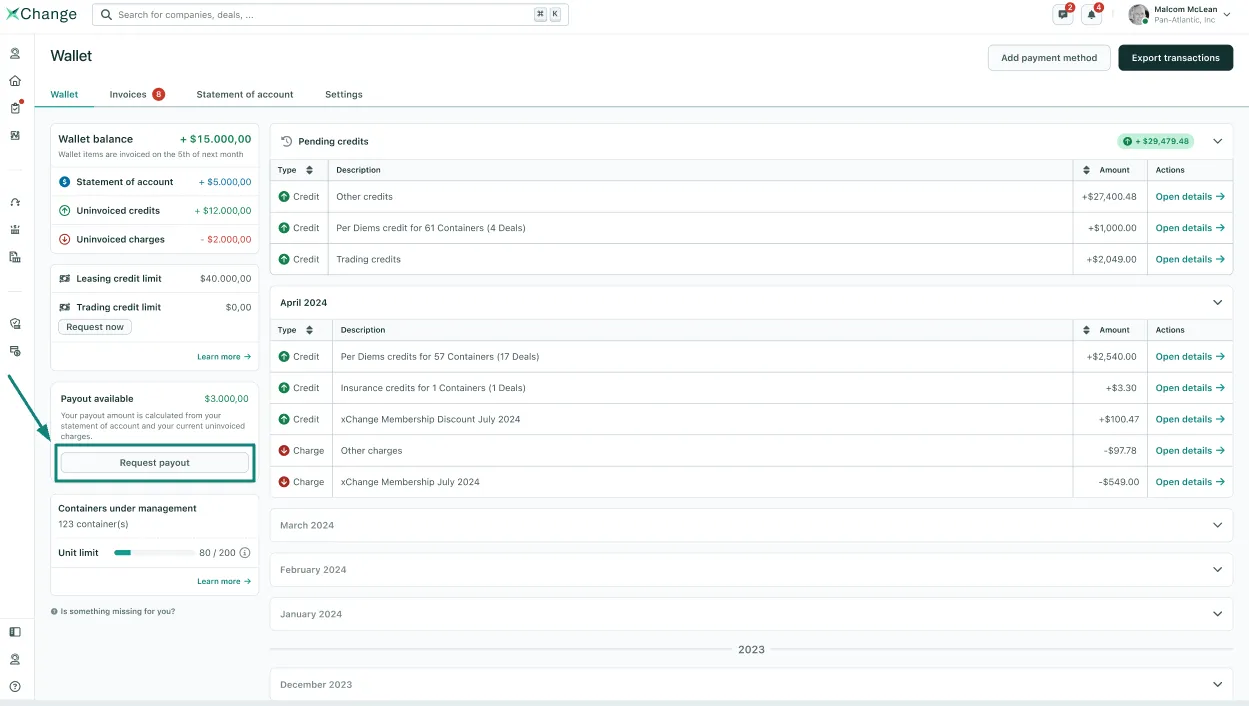
- Through the navigation menu, open the Container xChange wallet.
- Under the Wallet tab, you will find the button Request Payout
-
After you click on that button, you will be asked if you are sure you would like to proceed with the payout. Considering the following options:
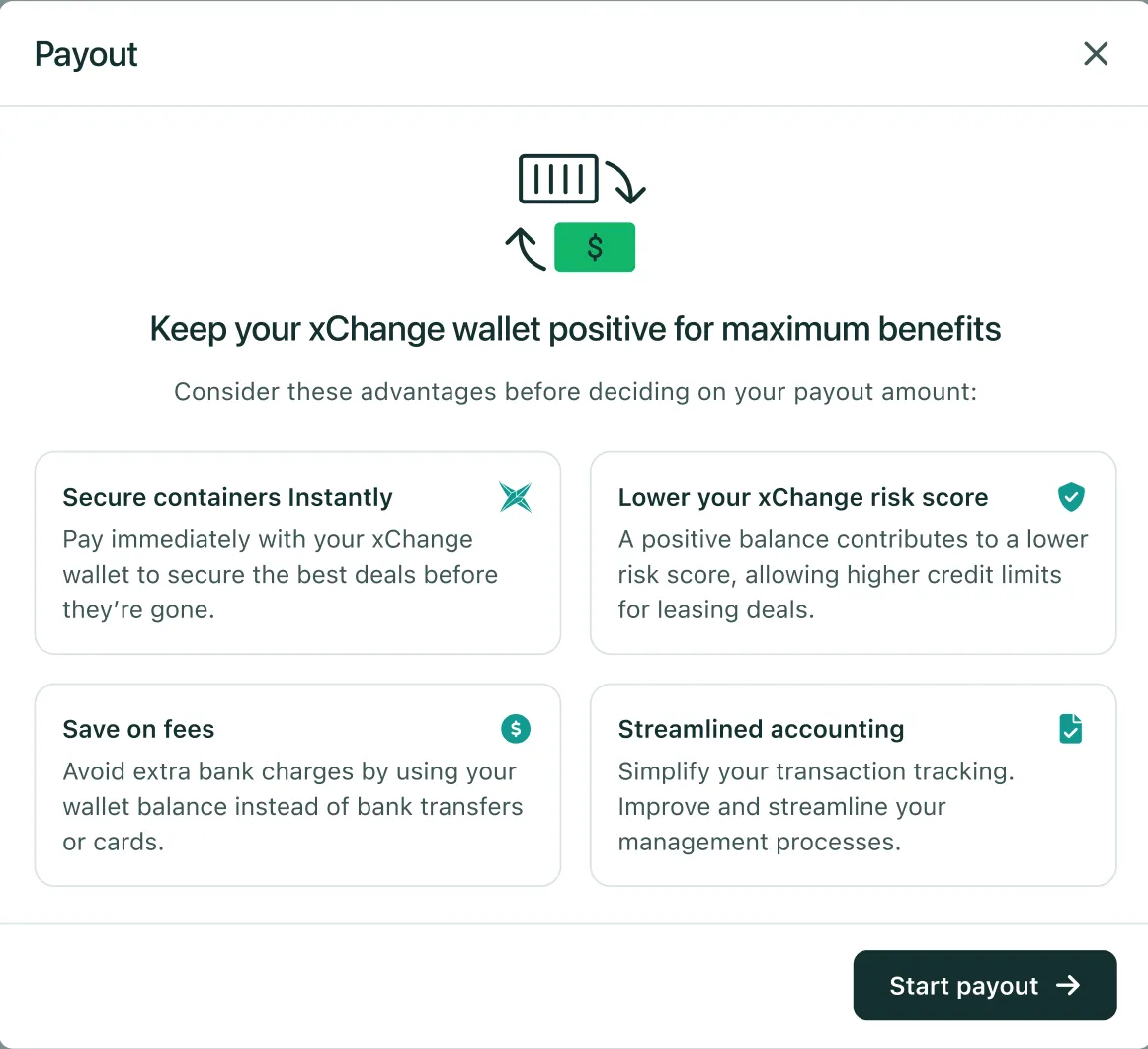
- If you are sure you want to proceed, just click on Start Payout
- The payout will be processed depending on your wallet's current available balance.
-
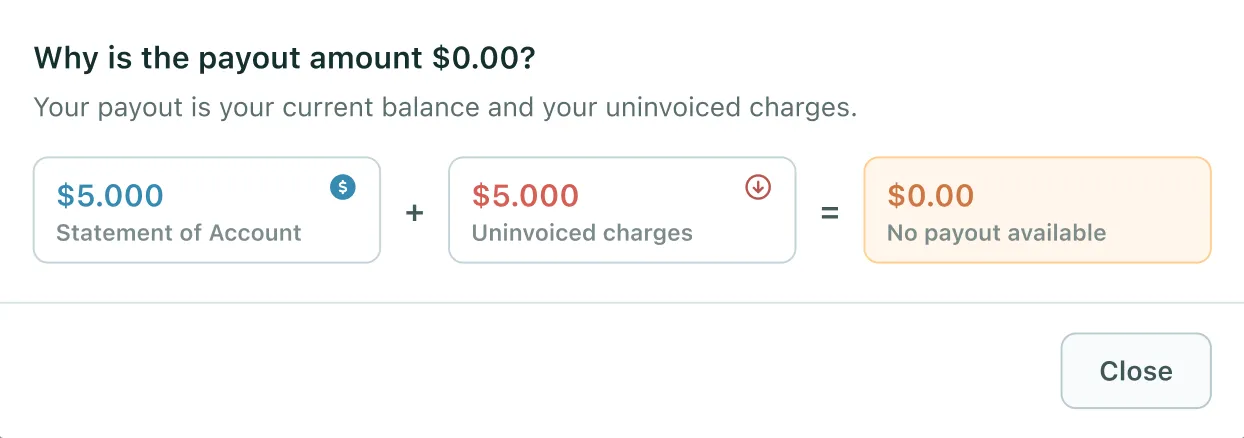
For example, if you do not have any available wallet balance, the system will show you the following breakdown:
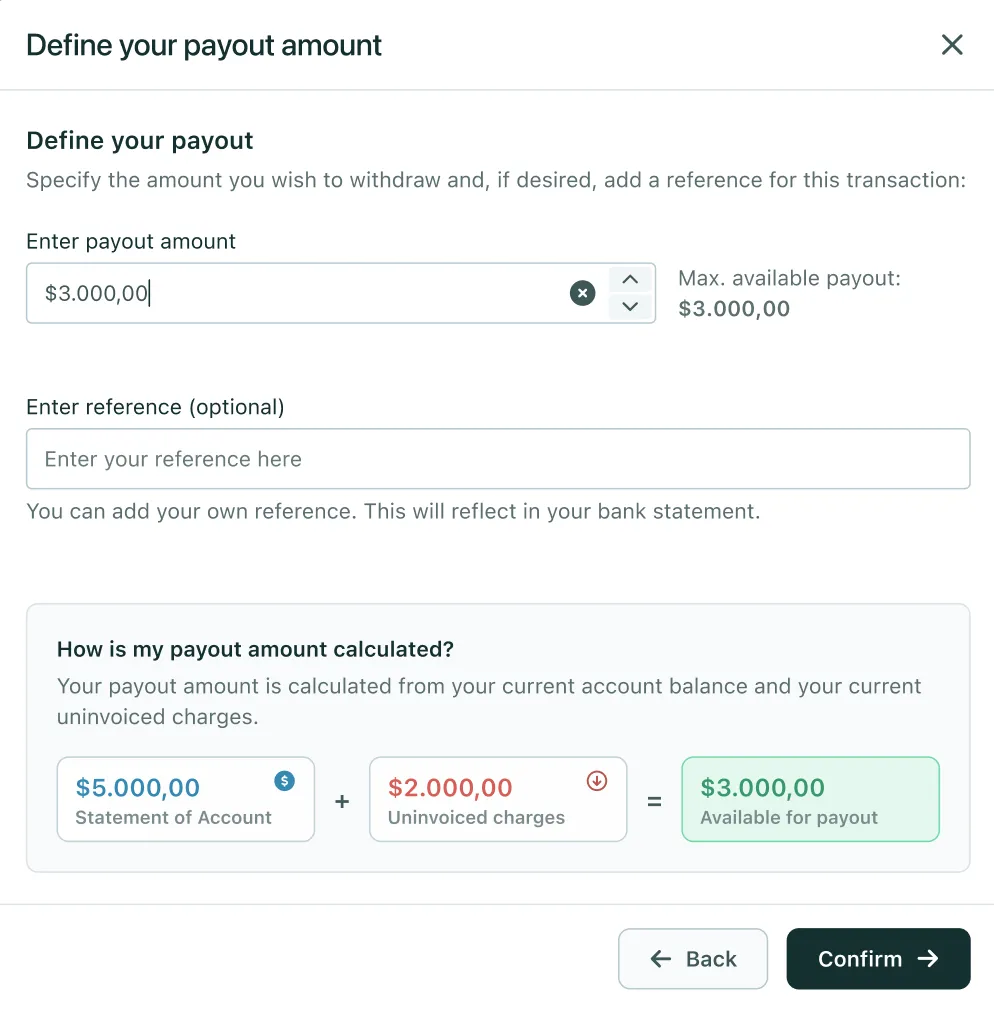
- If you have an available wallet balance, you will see the following option:
-
After you click Confirm, you will be taken to a final review and to Request the payout:
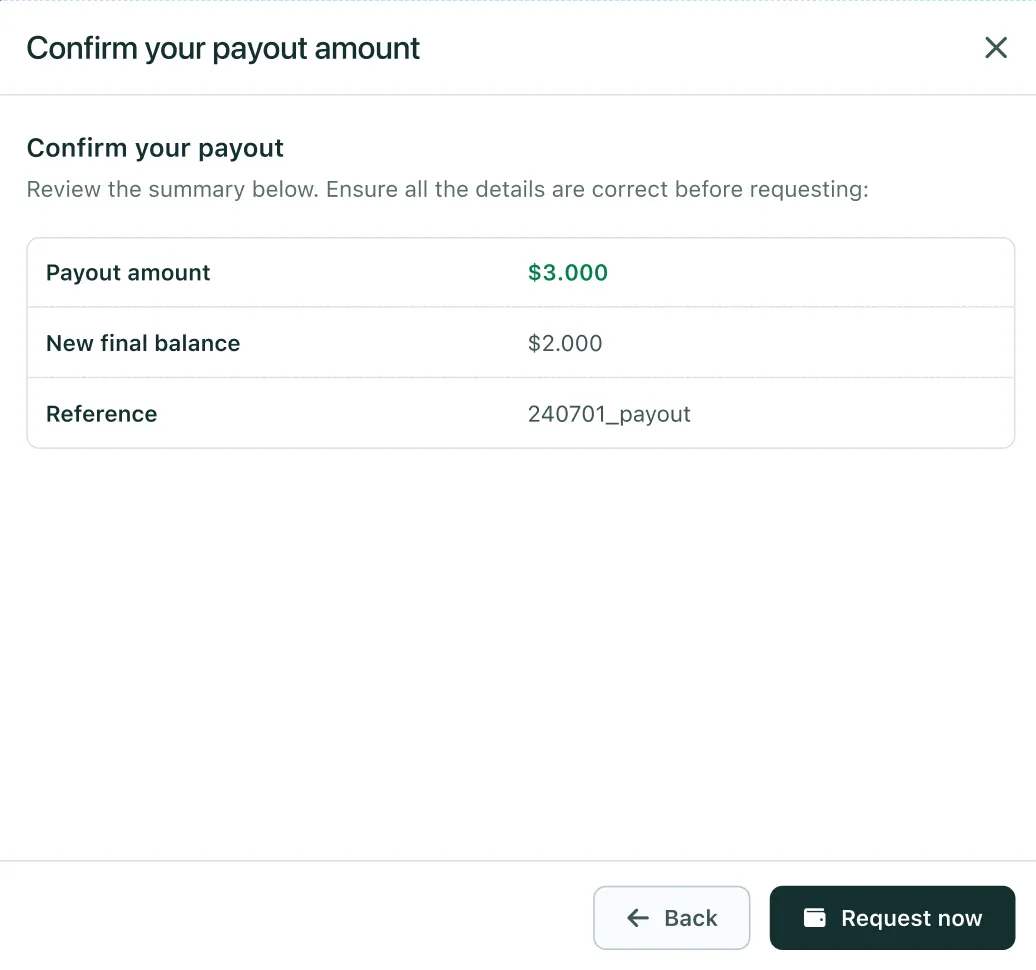
- After that, the system will confirm we have received your payout request
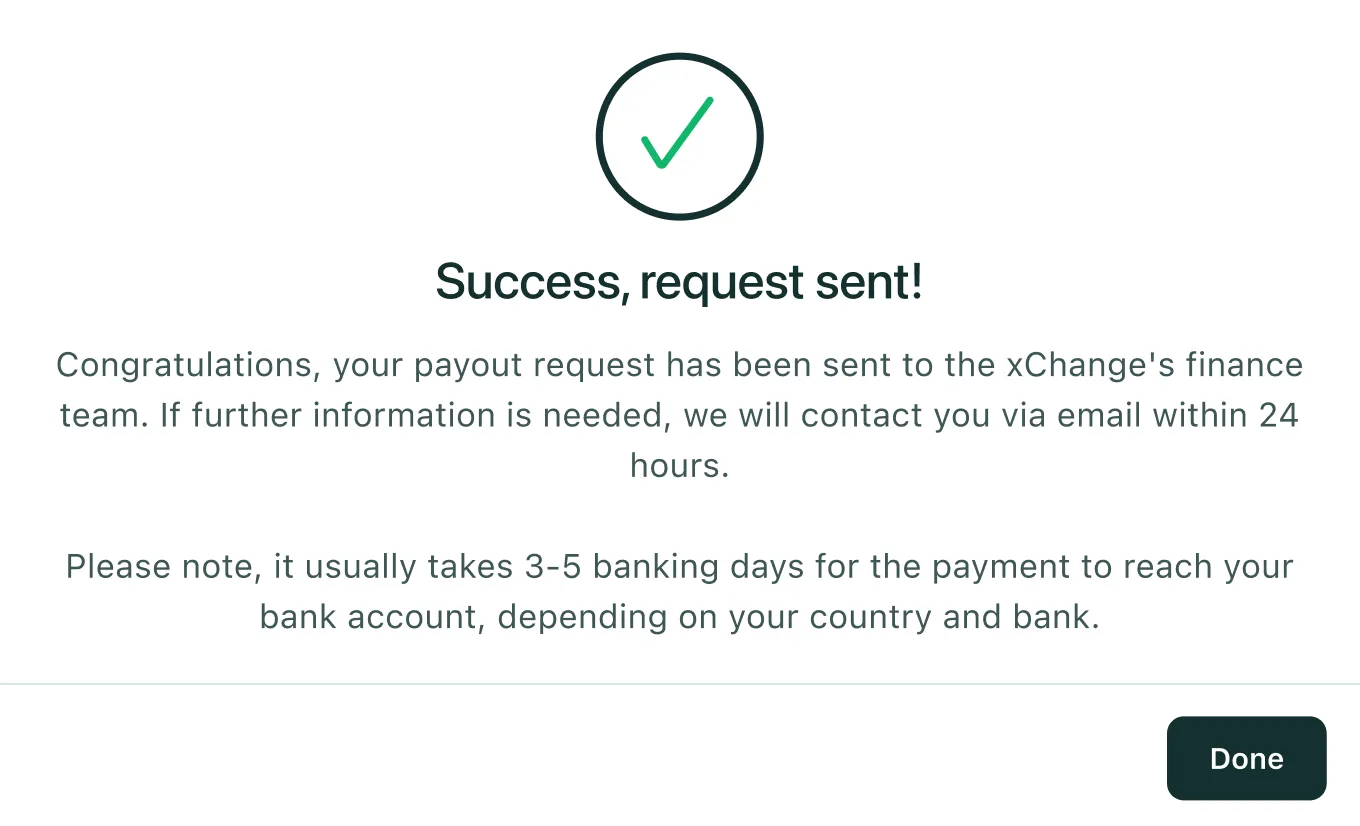
- You are all set!
Can't find what you need? Contact us