
Updated
Read this article in Chinese (中文)
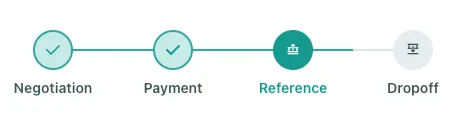
- Once the payment has been received, the deal will move to the Reference phase
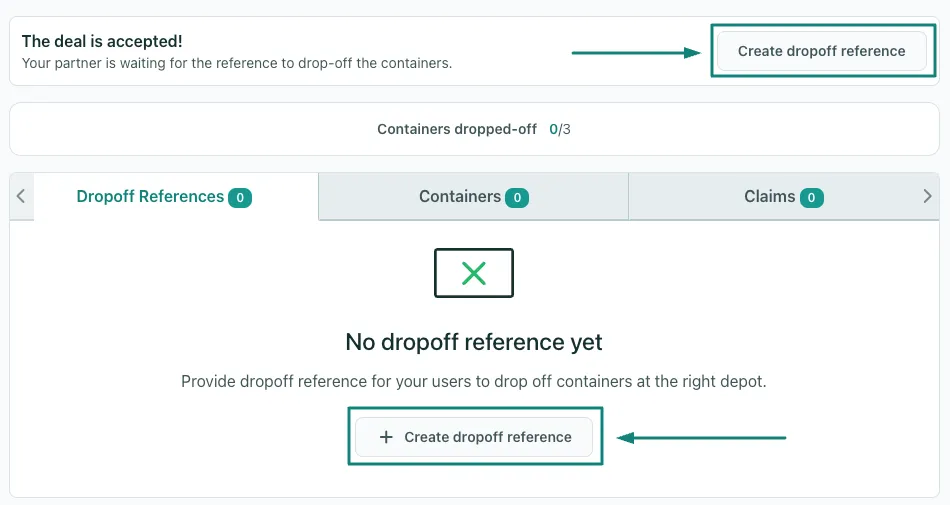
- Click on the Drop-off reference button
-
Fill out all the required information such as:
- Drop-off reference number
- Validity
- Quantity of containers
- Depot's email and phone number
- All other required details
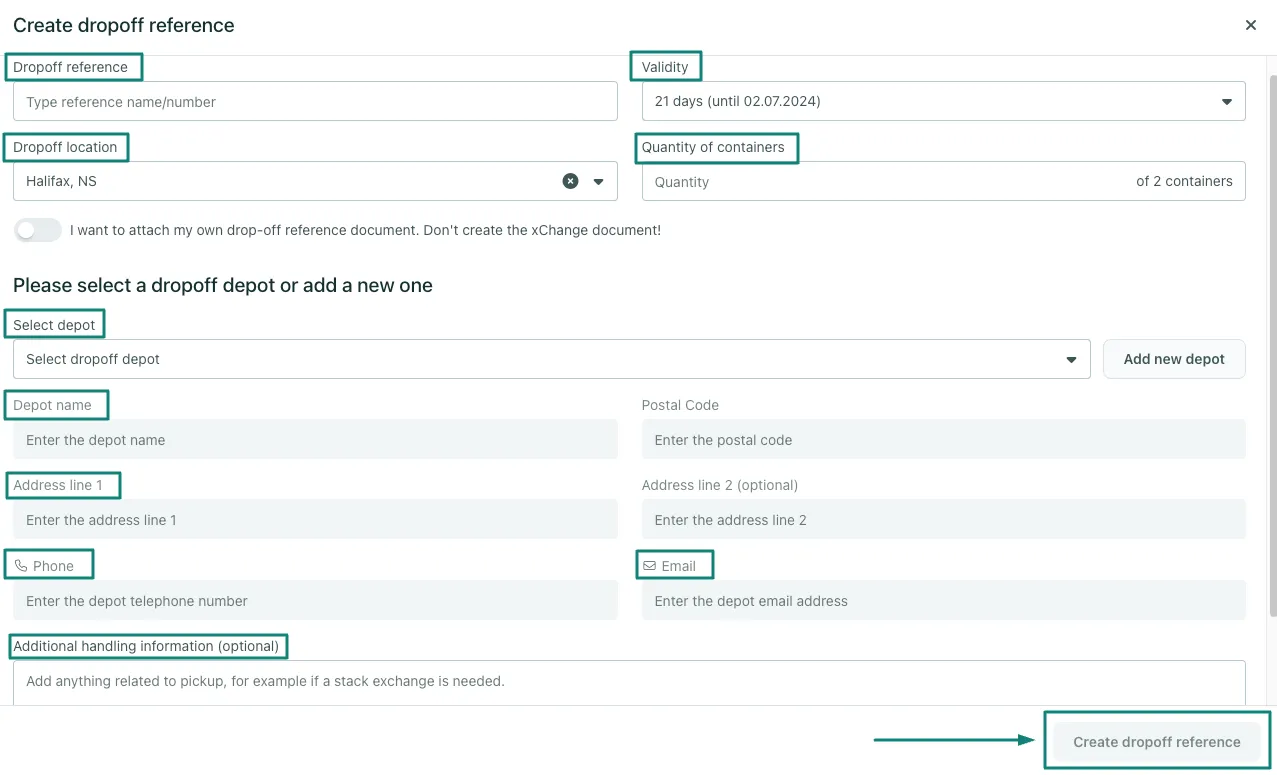
- You can upload multiple references as long as the total container quantity does not exceed the total amount of containers purchased.
What if I uploaded the wrong reference, or if I want to replace the current reference?
- In the case you want to update the Drop-off reference, you need to delete it first through the following steps:
- Click on the little arrow
- Click on the Delete button
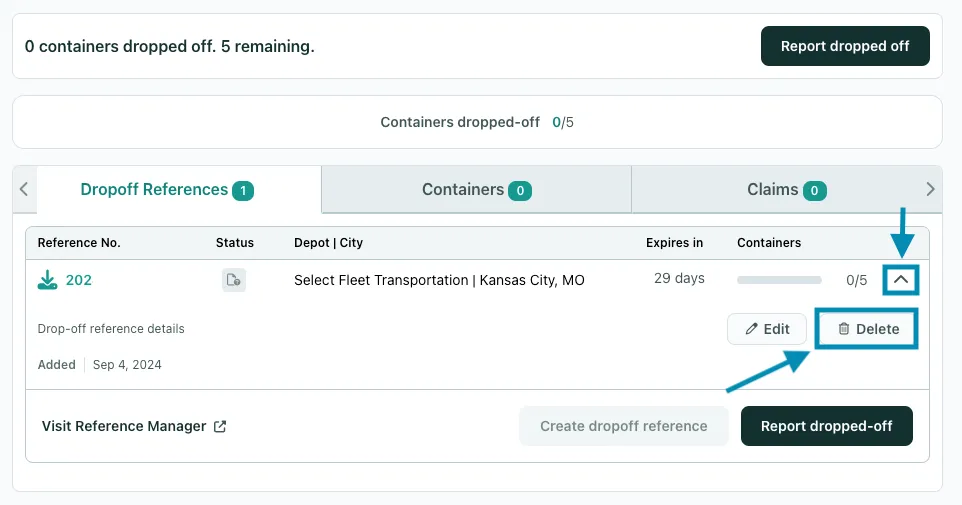
- After you have deleted it, please upload the correct reference through the same Dropoff References tab, and make sure to inform your partner in the chat.
Can't find what you need? Contact us